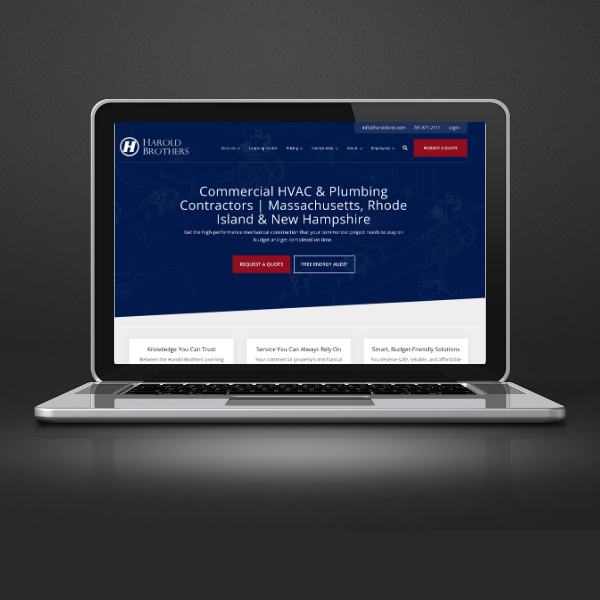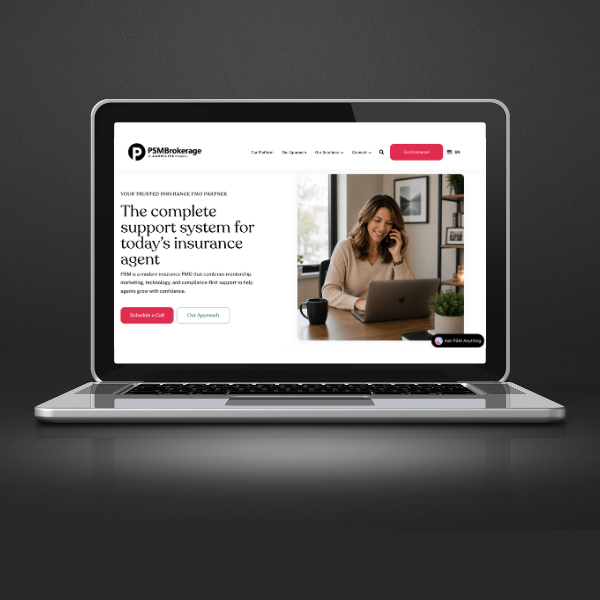
The TRUST HubSpot Theme from IMPACT
The TRUST Theme is a premium HubSpot website theme built by IMPACT, designed to give marketers full control over their website without needing a developer.
Every decision was informed by 400+ HubSpot websites, distilled into a system that's flexible enough to grow with you and simple enough to use on day one. This page covers what's included with the theme, who it's built for, pricing, and how it works.
Why Companies Choose the TRUST Theme
Most businesses that come to IMPACT for website help are running into the same set of problems. Their current website is inflexible, hard to edit, or requires a developer for every small change. They've realized their website should be a tool their marketing team can control, not something they're locked out of.
The TRUST Theme was built to put your website back in your hands.
Built on 400+ real website projects
The TRUST Theme is the result of years of building websites for real businesses, identifying what actually works, and refining it into a system that can be used out of the box.

Intentionally focused module set
Rather than bloating the theme with 30-40+ modules you'll never use, we kept it streamlined. Each module is flexible enough to handle a wide range of layouts and use cases. Think of them as LEGO blocks that can be rearranged, stacked, and customized without ever touching code.

No code required, no pay-to-upgrade model
Every module gives you control over layouts, content, and styling directly in the HubSpot page editor. You shouldn't need to open a code file to make your website look the way you want.
And unlike many free or lower-cost themes that cap features and require paid upgrades, the TRUST Theme gives you everything from day one.

Theme updates included
Because the TRUST Theme lives in the HubSpot Marketplace, you receive updates as we release them and you control when to install them.
Is the TRUST Theme right for you?
The TRUST Theme isn't for everyone, and we'd rather be upfront about that. Let's take a look at who it's built for and where something else will serve you better.
We're a good fit if...
You believe in function over form. You want a website that performs well, communicates clearly, and helps you close deals, even if it's not the flashiest design on the internet.
Your team is willing to get hands-on with the website. You have marketers (or plan to hire them) who will own the site day-to-day.
You want to follow the Endless Customers framework but aren't ready for (or don't need) a full custom website redesign.
You're looking for a DIY or semi-DIY option where you can bootstrap your web presence and grow it over time.
You're already on HubSpot (or planning to be) and want a theme that's purpose-built for how HubSpot works.
The TRUST Theme probably isn't for you if:
Design aesthetic and branding are your top priority. If you have Apple-level design expectations (custom animations, highly specific typography, bespoke layouts), no off-the-shelf theme will meet those needs. That requires a custom design engagement.
You want someone to build the whole site for you without your team learning how to manage it.
Why the "TRUST" Theme?
We believe that great websites earn trust before they earn attention. That means clear messaging, intuitive navigation, and a design your in-house team can actually manage. The TRUST theme is built for exactly that: a site that looks great, works simply, and keeps the focus on your buyer.
What you get with the TRUST Theme
When you purchase the TRUST Theme from the HubSpot Marketplace, you get a complete, ready-to-use website system. Here's what's included:
Flexible, Drag-and-Drop Modules
A full library of modules that cover the most common website needs: hero sections, content blocks, CTAs, testimonials, forms, and more. Each one is flexible enough to handle a wide range of layouts without touching code.
Pre-Built Page Templates
Templates designed around Endless Customers and StoryBrand best practices, so your site is structured for trust and conversion from the start. Your team can start building pages immediately.
System Templates
Essential pages like blog listing pages, blog post, 404, 500, email subscription pages, and search results are included and ready to go. You don't need to build these from scratch.
Global Headers & Footers
Customizable global elements so your branding stays consistent across the entire site. Update once, and the change applies everywhere.
Ongoing Theme Updates
As we continue to improve and refine the theme, you receive updates through the HubSpot Marketplace. You control when to install them.
Email Support from IMPACT
If you run into issues or have questions about using the theme, IMPACT's team is available via email. If you're working with IMPACT through a Website Enhanced engagement, you get dedicated, hands-on support from our web team.
Note: Self-service tools (such as self-assessment calculators, pricing tools, or product configurators) are not included in the TRUST theme. These require custom development and are available through IMPACT's Self-Service tool design services.

Theme is great, working with IMPACT is even better!
The theme is working great for our team. We were able to quickly rebuild our entire website, and the theme is flexible enough to make it look beautiful, but also not so complicated that our team (of non-webdevs) couldn't handle it.
Chase Shugarman Owner & President, Shugarman's Bath
Two Ways to Use the TRUST Theme
The TRUST theme can be used on its own or as a part of an engagement with IMPACT. Here's what each path looks like.
Path 1: Using the TRUST Theme on your own
DIY: Purchase from the HubSpot Marketplace
You can purchase the TRUST Theme directly from the HubSpot Marketplace, install it on your HubSpot portal, and start building. This is the fully DIY path, ideal if you have internal team members who are comfortable working in HubSpot's page editor and can handle content creation and site setup independently.
You get email support from IMPACT if you have questions, plus access to the theme's Getting Started Guide and any documentation in the Marketplace listing.
Best for: Teams with HubSpot experience who want a strong foundation and are ready to build on their own.
Path 2: Using the TRUST Theme through IMPACT
Website Enhanced: TRUST Theme + IMPACT's Strategy and Training
For most clients, the TRUST Theme is recommended as part of IMPACT's Website Enhanced engagement. In this scenario, you're not just getting a theme. You're getting strategy, design guidance, and hands-on support to build your site the right way.
IMPACT's web team works with you to understand your goals, audience, and content needs. The TRUST Theme is used as the foundation, with strategy and some design layered on top to match your brand.
Your team is trained on how to use and manage the site going forward, so you're not dependent on IMPACT after launch.
Best for: Businesses that need more than just a theme but don't require a fully custom design. A middle path: professional guidance and a website built to perform, without the higher investment of a custom build.
Need more high-end custom design?
For those who need high-end custom design, IMPACT offers Website Redesign services, which involves a full design workshop and custom-coded templates.
Built to Run Without Us
The best measure of success for a TRUST Theme website is whether your team can actually run it independently. That means updating pages, publishing new content, and making changes without submitting a ticket or hiring a developer.
400+
Websites built with the TRUST Theme

5-Star
Rating on HubSpot Marketplace
31 Modules
To customize your sites to your unique needs
Custom Built
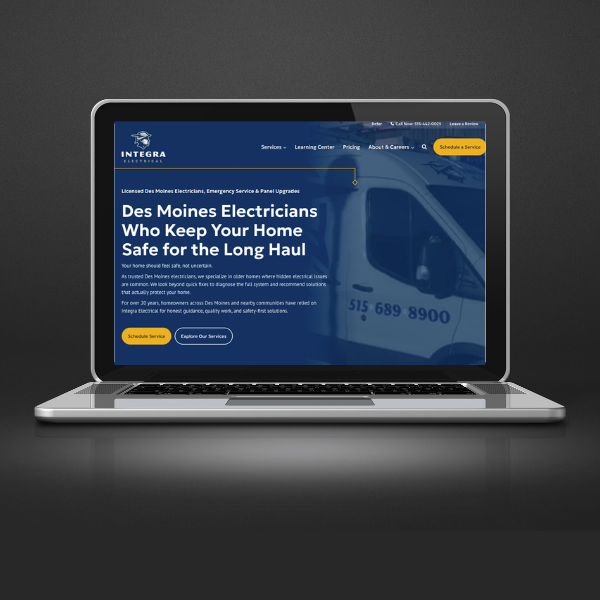
Custom Built was one of the first companies to launch a website on the TRUST Theme. Their previous website was difficult to edit. Their team couldn't make changes without outside help.
After rebuilding on the TRUST Theme, the story changed completely. They've been running and updating their website independently, rarely reaching back out for maintenance or how-to questions.
When they do contact IMPACT, it's to ask about adding new capabilities, not because something is broken or confusing. That's exactly the outcome the TRUST Theme is designed to create.
"What I love about TRUST: ease of use, precise tailoring to our brand, comprehensive training and documentation, endless customization, and proactive updates.
It's not just a theme; it's a transformational tool that empowers you to create and maintain a website that truly reflects your brand and mission."

How Much Does the TRUST Theme Cost?
Our full range is $25,000 to $155,000. That's wide because different scopes are truly different projects. Here's how to narrow it down.
TRUST Theme
Purchase directly from the HubSpot Marketplace
$1,999
One-time purchase
A single payment. No monthly fees, no recurring costs for the theme itself. You get the full theme with all modules, templates, and features included. There is no free version with paid upgrades. Everything is unlocked from day one.
Most Common
TRUST Theme + Website Enhanced
Theme included as part of IMPACT's Website Enhanced engagement
Starting at $30K
Theme + hands-on coaching and strategy support
For most clients, the TRUST Theme is recommended as part of IMPACT's Website Enhanced engagement. You're not just getting a theme. You're getting strategy, design guidance, content coaching, and hands-on training to build your site the right way. The theme is included in the project cost.
Everything in the standalone theme, plus:
How the TRUST Theme Compares to Other HubSpot Themes
Free Themes
Often limited in functionality. Most will require paid upgrades to unlock the features you actually need, so the true cost ends up being higher than it appears.
Mid-Range Themes ($500-$2,000)
Vary widely in quality. Some are solid; others are overcomplicated or poorly supported. At this price point, you're often getting either a bare-bones theme or one bloated with modules you'll never use.
Premium Themes ($2,000-$5,000+)
At the higher end, many themes bundle in services like coaching calls or migration support, which inflates the sticker price. You're not just paying for the theme. You're paying for time with that team.
The TRUST Theme ($1,999)
Sits at the upper end of theme-only pricing, but you're getting a product built on hundreds of real website projects, with ongoing updates and support from a HubSpot Diamond Partner. No bundled services inflating the price. No features locked behind upgrades.
Standalone vs. Website Enhanced: Which Path is Right?
If you're considering the standalone theme...
The standalone TRUST Theme is a great option if your team has HubSpot experience, can handle content creation independently, and just needs a strong foundation to build on.
You'll get email support if you run into questions, plus access to the Getting Started Guide and Marketplace documentation.
This path works well when: You have marketers who are comfortable in HubSpot's page editor. You've got a clear sense of your site structure and content. You want to move at your own pace and keep the investment low.
What to watch for: Without strategy guidance, it's easy to build a site that looks right but isn't structured to perform.
Content, messaging, and page architecture matter as much as the modules themselves. If your team hasn't done this before, the DIY path can take longer than expected.
If you're considering Website Enhanced...
Website Enhanced is the path we recommend for most businesses. You get the TRUST Theme as the foundation, plus IMPACT's strategy, design guidance, content coaching, and hands-on training.
Your team learns to manage the site independently, but you're not figuring it all out alone.
This path works well when: You want professional guidance on messaging, site architecture, and content. You want your team trained and confident. You need a site that starts performing from day one.
What to watch for: This is a bigger investment ($30K+), and it requires your team's time and involvement. It's not a hands-off build.
If you're looking for someone to do everything without your participation, this isn't the right fit either.
Either way, the goal is the same
A website your team can manage, update, and improve without depending on outside help. The TRUST theme is the foundation. The question is whether you want to build it on your own or with IMPACT guiding the process.
A Few More Questions We Hear Often
What is the TRUST Theme?
The TRUST Theme is IMPACT's premium HubSpot CMS theme designed to help marketing teams build, manage, and optimize high-performing websites without relying on developers for everyday updates. It includes a library of flexible drag-and-drop modules that make it easy to create pages, organize content, and maintain a consistent user experience.
Unlike many website themes that prioritize visual effects alone, the TRUST Theme was built around buyer experience, usability, SEO, AI discoverability, and long-term website management. It's the same foundation IMPACT uses for its Website Enhanced redesign engagements, but it's also available as a standalone purchase through the HubSpot Marketplace for teams that want to build and manage their websites independently.
Do I need to be an IMPACT client to use the TRUST theme?
No. The TRUST Theme is available to anyone on the HubSpot Marketplace. You can purchase it, install it, and use it entirely on your own. Working with IMPACT gives you additional strategy and support, but it's not required.
Do I need to know how to code?
No. The TRUST Theme is built so that marketers can control everything (layouts, content, styling) directly in HubSpot's drag-and-drop page editor. No code required.
What kind of support do I get?
If you purchase the TRUST theme on your own, you get email support from IMPACT. If you're working with IMPACT through a Website Enhanced engagement, you get dedicated, hands-on support from our web team.
What if I need custom design or functionality?
The TRUST Theme is designed for flexibility, but it's not a custom build. If your needs include highly specific design, custom animations, or unique functionality, you'll likely need IMPACT's Website Elite service, which involves a full custom design and development process.
Will the theme be updated over time?
Yes. Because the TRUST Theme is in the HubSpot Marketplace, we release updates periodically. You choose when to install them from within your HubSpot portal. We always recommend using a child theme, so updates don't conflict with any customizations you've made.
What's the difference between the TRUST theme and a full website redesign?
The TRUST Theme is the foundation. It's the building blocks for your site. A website redesign with IMPACT adds strategy, design guidance, content planning, and hands-on training on top of that foundation. Think of the theme as the toolkit and the redesign as the project where we help you build with it.
Are self-service tools included?
No. Self-service tools like pricing calculators, self-assessments, and product configurators require custom development and are not part of the TRUST Theme. These are available through IMPACT's self-service tool building services.
How many websites use the TRUST theme?
The TRUST Theme has 50+ installs, with approximately 70% of those being clients who used it as part of an IMPACT engagement. The remaining 30% found and purchased it directly from the Marketplace.
What's a child theme, and do I need one?
A child theme is a clone of your installed theme that acts as a safe workspace for customizations. Your parent theme stays clean, and you make all changes in the child theme. If a theme update is released, you can install it on the parent without risking your customizations. We strongly recommend creating a child theme immediately after installation.
Recent insights from our Learning Center
Curious about the TRUST Theme?
Schedule a free call with our team. No pressure, no generic sales pitch. Just an honest conversation about your website goals and whether the TRUST theme is the right fit.