Building a Learning Center with IMPACT
Great content only works if your buyers can find it.
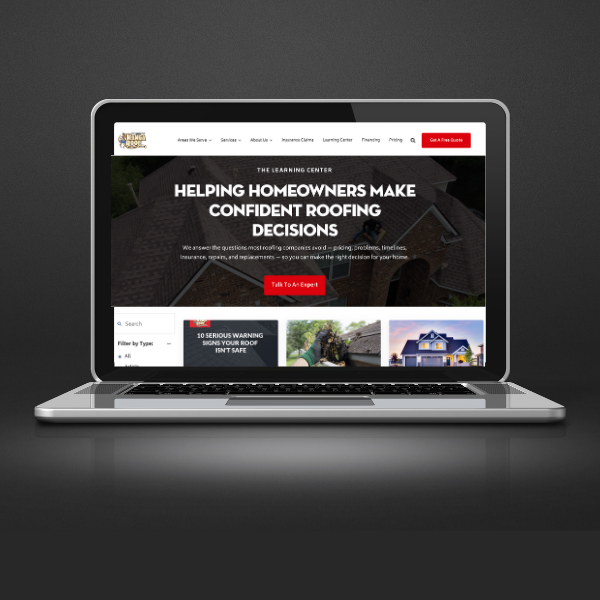
Create an informational hub that gives everyone a centralized source of truth. Your buyers find the answers they need to make decisions with confidence, and sales can effectively use content to close deals faster. This page covers exactly what a Learning Center is, who it's built for, what it costs, and how IMPACT builds it in just four weeks.
Why Companies Come to IMPACT for a Learning Center
Companies usually come to us for a Learning Center in one of two situations: they have years of content that’s becoming impossible to navigate, or they’re building content now and want the right structure from day one. Either way, the problem is the same: your creating content that doesn’t serve customers and internal teams the way it should.
Here's what happens when you build a Learning Center:

Content is easier to find instead of spread across your website
Blogs often become dark holes of information where even great content can’t be found. Buyers can’t find the two or three pieces of content that would actually move them forward. The content is out there, but it’s not organized in a way that serves anyone.

You have a single source of truth for your whole team
When nobody knows what’s updated, relevant, or valuable, how do you use it? A Learning Center gives your organization one consistent, approved place for education resources, so everyone is working from the same library.

Content is organized for how buyers actually research
Instead of forcing buyers to scroll through archives or hope your tags are correct, a Learning Center lets them filter, browse, and find exactly what they need. It turns your content library into a usable buying experience that meets buyers where they are in the research.

Your system scales with your content
You don’t have to wait until you have hundreds of articles. Building the infrastructure early means every new piece of content has a home. Categories and filters can evolve with you. Even two years from now, your content will still be organized, and most importantly, easily found by your buyers.
How to tell if your business is the right fit for a Learning Center
Here's an honest look at when a Learning Center is the right move, and when it isn't.
You're a good fit if...
You already have educational content (or are actively building it) and want it organized intentionally
You don’t need a full website redesign, just a better way to organize and surface your content.
You want buyers to find answers without digging through your blog archives.
You have a content or marketing manager who can own and maintain it after launch.
Your website is on HubSpot or WordPress.
You want your sales team to have a consistent, approved library of resources to use in follow-up.
You're not a good fit if...
You’re in the middle of a rebrand, and your messaging or site structure is about to change.
Your website is locked down by another agency, and you can’t provide the backend access required.
You don’t have internal bandwidth to manage it after launch. This is not a “launch it and forget it” tool.
You’re on a platform outside of HubSpot or WordPress.
What you get with a Learning Center
Every Learning Center built with IMPACT includes everything you need to go from disorganized content to a clean, filterable hub your buyers and sales team can actually use. Here’s exactly what’s included and what each piece is designed to do.
Learning Center Framework
A filterable hub built directly inside your existing HubSpot or WordPress environment. No new platforms or domains. Everything is integrated right on your website.
Content Audit & Curation Support
We provide a structured way to review your existing content library. That might include exporting blogs to a spreadsheet so your team can easily mark what stays, what goes, and what needs updating.
Category & Filter Strategy
We work with you to define the filtering logic that makes your Learning Center usable. Everything is organized around how buyers actually search for information, not how your internal teams think about content.

HubSpot or WordPress Implementation
Built inside your environment with your branding. If you're on HubSpot, you'll need Content Hub Pro or Enterprise; if you're on WordPress, you'll need ACF Pro (Advanced Custom Fields), both to power your Learning Center. We'll confirm your setup during scoping
Team Training Session
A working session (approx. 60 minutes) with your content or marketing team. They'll leave knowing how to add and remove resources, tag content correctly, and evaluate how the Learning Center is performing.
Post-Launch Support
This is a standalone build, not an ongoing retainer. But if you hit technical issues after launch or want to scope enhancements, our team is available. You’ll also have training videos you can keep forever.
"The systems and processes they have helped us implement have been
VITAL TO OUR SUCCESS."
Jacob Price Digital Marketing Specialist, TMA Small Business Accounting
What to Expect From Project Kickoff to Launch
A standalone Learning Center is typically completed in four weeks. It's a focused project with minimal meetings and clear responsibilities on both sides. Every phase is designed to leave your team more capable and organized than when you started.
Kickoff & Alignment
We begin with a short kickoff call (15–30 minutes). We confirm scope and expectations, identify the internal owner of the Learning Center, review backend access requirements, and outline your responsibilities for the project. You'll also receive initial homework: watching short training videos, brainstorming your preferred filters, and preparing to curate your existing content.
If we haven't worked together before, this is also where we establish communication workflows and introduce your IMPACT point of contact.
You’ll walk away with: Scope confirmed, internal owner identified, access plan in place, and your team ready to move into content review.
Strategy & Build
While IMPACT builds the Learning Center framework in your environment, your team focuses on organizing content. For HubSpot users, we export your blog library into a structured spreadsheet so you can review everything at once. You’ll mark what belongs in the Learning Center, what to exclude, and what may need updating. This step often surfaces just how much content exists and how little structure surrounds it.
It's also a good time to clean up tags and remove outdated content that no longer serves your buyers. For WordPress builds, the mechanics look slightly different, but the outcome is the same: an intentionally curated content library ready to populate.
You’ll walk away with: A clean, curated content list ready to live in your newly built Learning Center.
Strategy Review & Training
Around week three, we hold a working session (approximately 60 minutes). By this point, your Learning Center framework is built, and it's time to add content. This session is most important for the content manager or marketing team member who will be maintaining the Learning Center going forward. We review and finalize your filters, walk through how the system works, show your team how to manage resources, and answer any questions from the training materials.
You’ll walk away with: A confident team who can add and remove content, tag resources appropriately, and evaluate performance over time.
Finalization & Launch
After the week three session, your team finalizes resource selection, filters, and completes any remaining tagging or organization. Once everything is approved, the Learning Center is published.
You’ll walk away with: A live, branded Learning Center your buyers and teams can use to access all of your content. Your team can manage and keep it current as your content library grows.
Your Team’s Time Commitment
The hardest part of this project is usually the content curation, and not because it's technically difficult, but because it forces you to confront just how much content exists and how little structure surrounds it. That's also the most valuable part. Teams consistently leave this process with more clarity around their content than they've had in years. The lift is manageable, contained to four weeks, and the payoff is a system your whole organization can actually use.
Learning Centers in Action
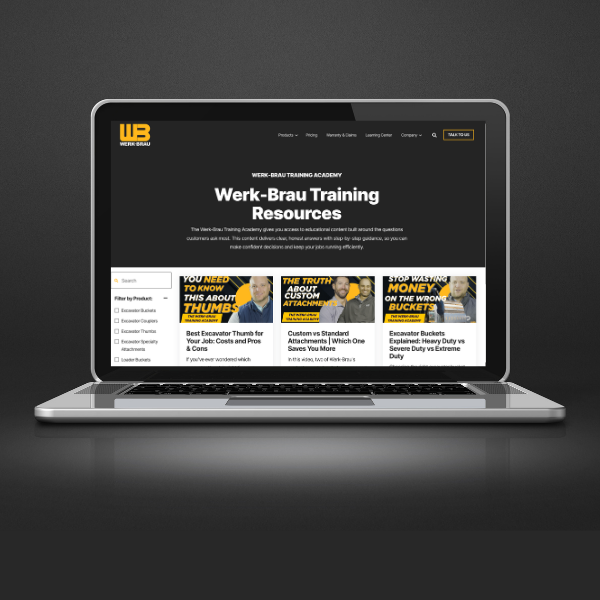
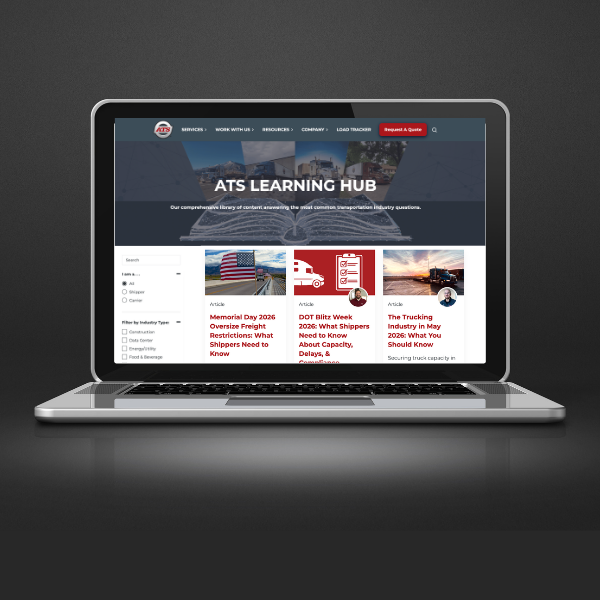
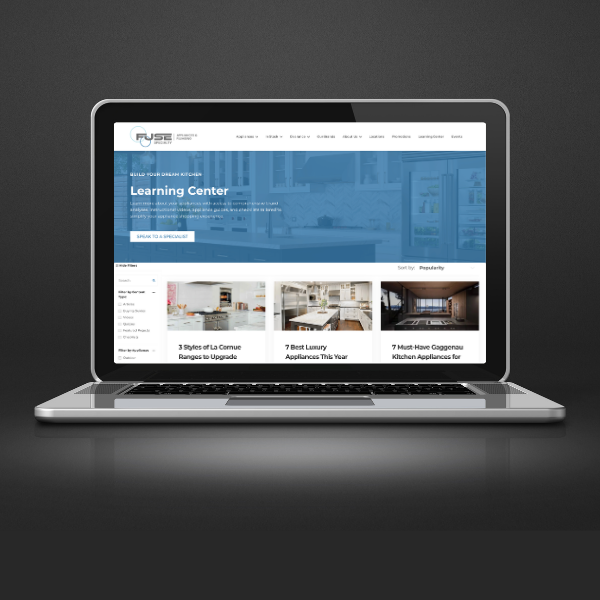
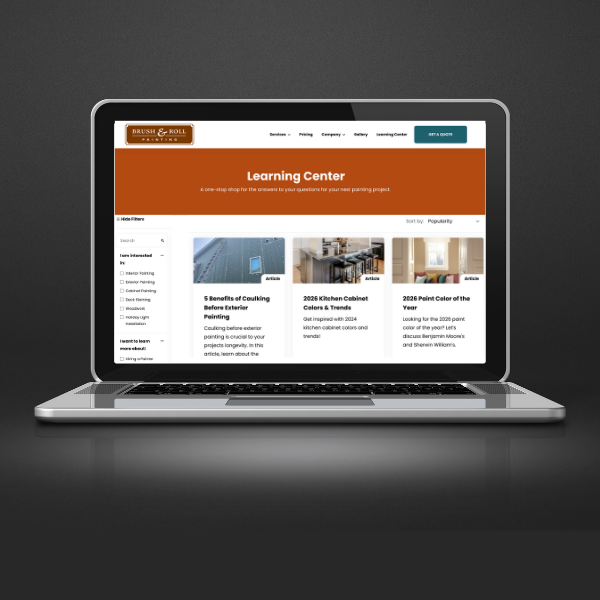
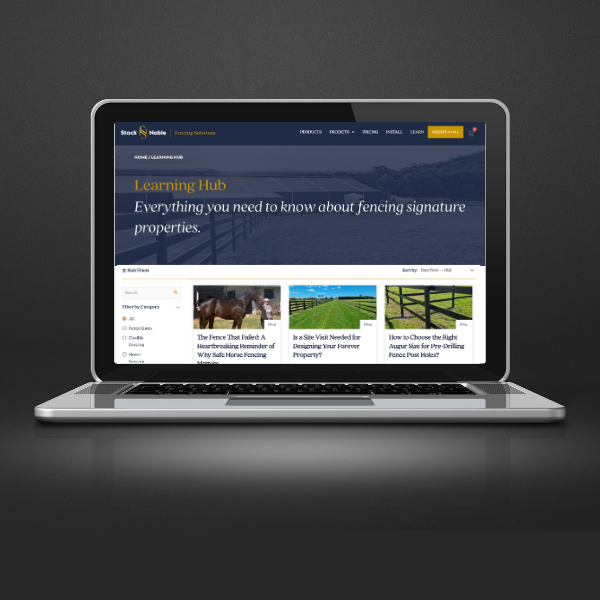
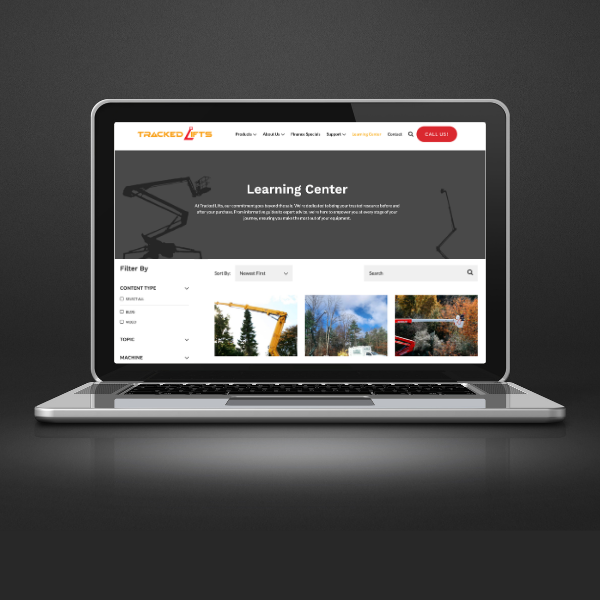
Our team has a wide range of experience building successful Learning Centers in dozens of industries. Take a look at some of our client highlights below.
How Much Does Building a Learning Center with IMPACT Cost?
A standalone Learning Center starts at $5,000. For most organizations, that’s the full investment. Here’s what that includes and a few situations where cost might go up.
Learning Center Build
Standalone, four-week implementation
Starting at $5,000
This focused four-week engagement is designed to bring clarity to your content library. You'll end with a structured, scalable system for successful content management and an overall improved user experience.
This includes:
If your website is on HubSpot, you'll need Content Hub Pro or Enterprise to use HubDB. If your website is on WordPress, you'll need ACF Pro (Advanced Custom Fields). We'll confirm your setup during scoping.
When would the cost increase?
The starting price assumes your website environment is already functional and properly configured. These are some of the rare occurrences when the cost of a Learning Center would go up.
New or Unconfigured HubSpot Environment
If you’ve just purchased HubSpot and you don’t have a theme set up, additional setup will be required before the Learning Center can be implemented. We can help you with that, or you can work with someone else and come back to us for the Learning Center. We identify this early in the scoping process before we move forward.
Additional Development Work
If your setup requires custom development to properly integrate the Learning Center into your site, that increases costs. We can also identify these situations during scoping before moving forward.
Unexpected Technical Constraints
At times, issues arise that we couldn't have anticipated before building begins. If that happens, we'll pause, align on next steps, and discuss any cost impact before moving forward.
Could you just hire a freelancer or build this yourself?
It may be tempting to look for less expensive ways to implement a Learning Center. Surely a freelancer could knock out this project? But here’s an honest look at what you’re actually comparing.
If you're considering DIY or hiring a freelancer...
You could head to Upwork and hire a developer to attempt something similar for less. Some teams try to build it internally. And yes, something might get built.
What usually happens:
Timelines stretch, and requirements drift. The back-and-forth pushes deadlines out. What starts as a small development task turns into a months-long distraction. And when it's finally done, no one on your team knows how to manage it.
What to consider:
Ask how the filtering system works, whether it's built on a scalable structure, whether there's a training plan for your team, and whether the developer will be available when something breaks six months later.
What you're paying for when you build with IMPACT
You're not just paying for a faster project. You're paying for a structure that's already been tested. You're paying for clarity around how content should be organized for buyers. You're paying for a streamlined curation process that saves your team hours of trial and error.
You're also paying for predictability. This is a defined scope with a defined timeline. Minimal meetings. Clear ownership. You get the build, the implementation, and the training. All in four weeks.
What to consider:
Your team walks away knowing how to manage the system on their own. No dependency. No monthly retainer required.
A Few More Questions We Hear Often
The questions below come up in almost every conversation we have about building a Learning Center. If you have additional questions, don't hesitate to reach out to our team.
What is a Learning Center?
A Learning Center is a centralized, filterable hub on your website that organizes your educational content in one place. Instead of asking visitors to browse a chronological blog, it helps them quickly find the articles, videos, guides, podcasts, and other resources that are most relevant to their questions.
At IMPACT, we build Learning Centers directly into HubSpot and WordPress websites, then train your team how to organize, maintain, and expand them over time so your content stays easy to navigate as your library grows.
Is my blog the same thing as a Learning Center?
No.
Your blog is a chronological feed of content. A Learning Center is a curated, filterable hub designed to help buyers find specific resources quickly.
Your blog posts can live inside your Learning Center alongside other forms of content like guides, videos, podcast episodes, and more. The Learning Center is built for organization and navigation, not publishing order.
What’s the difference between building a Learning Center in HubSpot vs. WordPress?
The biggest difference is how new content gets added to the Learning Center.
In HubSpot, updates are manual. When you publish a new resource, someone in your team will add it to the Learning Center database and assign the appropriate filters. This gives you control, but it does require intentional upkeep.
In WordPress, the system can be configured to update more automatically based on categories and tags. When content is published and tagged correctly, it can flow into the Learning Center without a separate manual step.
Neither approach is better. They simply require different workflows. During implementation, we’ll show you exactly how it works in your environment so there are no surprises.
Why doesn't IMPACT build Learning Centers on other platforms?
Most other platforms (like commerce-focused systems like Shopify) aren’t structured to support this kind of flexible filtering and database-driven content organization without significant workarounds.
Could something similar be built? Sometimes.
But in many cases, it would require custom development that increases costs, complexity, and long-term maintenance. It may also involve hosting the Learning Center on a subdomain, which introduces SEO and tracking tradeoffs.
Rather than forcing a solution into a platform that isn’t designed for it, we focus on HubSpot and WordPress, where the structure is stable, scalable, and predictable.
Will building a Learning Center improve our SEO?
A Learning Center is primarily an organization and a user experience improvement.
It doesn’t automatically boost rankings. It helps buyers navigate your content more effectively once they’re on your site. Could this help your website visitors view more content and stay on your site longer, and subsequently improve some SEO metrics? Absolutely.
Major SEO disruption would only occur if you started changing URLs or restructuring content improperly, which we don’t recommend as part of this project.
How much time will this require from our team?
Most teams spend approximately:
- 75 minutes in meetings with IMPACT
- 4-10 hours reviewing and organizing content
Time varies depending on how much content you already have, but the lift is manageable and contained to the four-week window.
How much ongoing maintenance does it require?
Minimal, but intentional.
New resources should be added as they’re published. Filters and categories should be reviewed periodically to ensure they still align with how buyers think and search.
It’s not heavy maintenance, but it does require ownership.
Can our sales team use this internally?
Yes. And they should.
A Learning Center creates a centralized, approved library of resources that sales can confidently use for assignment selling and follow-up.
Instead of personal spreadsheets or guessing which article is best, they have one structured system.
Can you just give us the code and let our developers build it?
No. We don’t sell the Learning Center as a code package or train external developers to recreate it. We build it in your environment and train your team to manage it properly.
Related insights from our Learning Center
The Learning Center: Your Website's Key to More Qualified Leads
What Is a 'Learning Center' and Why Does My Website Need One?
Four Essential Elements of a High-Converting Website
How to Create Content Your Buyers Actually Need
Content Authenticity In The Age Of AI
Ready to build a Learning Center?
Schedule a free call with our team. No pressure, no generic sales pitch. Just an honest conversation about your content management goals and whether IMPACT is the right fit for you.