
/Assets/arrow-facing-left--black-01.svg)
/Assets/navigation-global--close-symbol-black-01-1.svg)
/Assets/Icon%20Library/social/facebook-logo.svg)

/Assets/Icon%20Library/social/instagram-logo.svg)
/Assets/Icon%20Library/social/youtube-logo.svg)





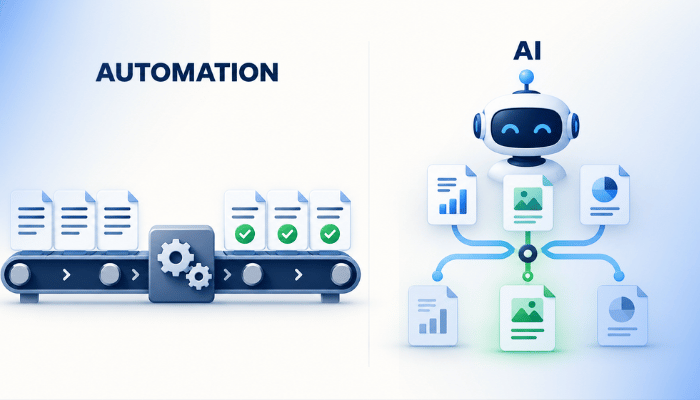
If you've sat through a demo of an AI agent that answers email, writes proposals, or researches prospects on its own, you probably left feeling like your company is already behind. That feeling makes it tempting to plug AI into every process at once, and the rush usually leaves operations messier than they were before.
At IMPACT, we've helped 300+ companies take control of their sales and marketing with the Endless Customers System™, and we've been building AI into our own operations with Tom Nassr, CEO of the workflow design company XRAY. Tom has talked with thousands of business owners about how their work gets done, and his advice goes against most of what you hear about AI for marketing: the best AI workflows use less AI than you'd expect.
Below, we'll cover how to tell which steps need AI and which need plain automation, how that split works for new inquiries and department handoffs, how we built our own website diagnostic this way, and the security risk to understand before you give an AI agent access to your inbox.
What's the difference between AI and automation?
Automation is deterministic, meaning the same input produces the same output every time, like an invoice that reaches the right customer when you click send.
AI is non-deterministic. Run the same prompt 100 times, and you'll get 100 different results. That variability makes AI useful for writing and sorting, and risky for steps that can't vary.
Neither one is better than the other. Putting an email address into the email field of your CRM should happen identically every time, so that belongs to automation. Replying to a customer complaint shouldn't be identical every time, so that's a reasonable place for AI to help.
Why does process design come before AI?
AI speeds up whatever process it's given, including a disorganized one. Tom estimates that most of the companies that call XRAY asking for AI systems need better process design first. That's his read from client conversations rather than a formal study, and the logic behind it is simple: without defined steps, AI has nothing reliable to work with. As Tom put it:
If you don't have a good process, the AI systems won't be able to help you. They will just accelerate your disorganization.
The counterintuitive part is that the less AI you use inside a process, the better that AI tends to perform. The common advice is to give AI more context, more documents, and bigger prompts. More input gives you a different output, and it's hard to tell whether it's a better one, because you can't see which part of the input changed the result.
We make a similar case in our guide to the marketing foundations to build before you scale with AI, and it applies well beyond marketing.
Where do workflows usually break?
Tom has talked with business owners ranging from dog groomers and roofers to manufacturers and biotech firms, and he sees the same pattern everywhere. Every business signs contracts, takes payment, tracks the status of the work, delivers it, and asks for a review.
The breakdowns rarely happen inside one department. They happen in the handoffs between departments.
Say a prospect gives a verbal yes but wants one line of the contract changed. Sales gets approval from legal, sends a revised document, updates the deal in HubSpot, and moves on to the next prospect. A week later, someone in operations opens a DocuSign with unfamiliar language and no context, and now they have to sort it out.
Most business software was built to run one department, like HubSpot for sales or QuickBooks for finance. Trouble starts when a process has to move sideways across departments, and the information has to arrive quickly and consistently.
How do you split a workflow between automation and AI?
Make as much of the process deterministic as possible, then add AI at the one to three moments where the process needs to adapt. Once AI makes its judgment call, such as assigning a category, the work should return to an automated path so every item in that category gets handled the same way every time.
Take customer email. If you receive 500 emails a day, AI can read each one and decide whether it's about an account, billing, a sales rep, or a software bug. Then automation takes over, and every UX bug goes to your design team.
New inquiries from your website follow the same logic. Here's how you could split the work:
| Step | Automation or AI | Why |
|---|---|---|
| A form submission creates a contact in your CRM (HubSpot, Airtable, or whatever you use) | Automation | The email address has to go in the email field every time, or your CRM fills up with gaps. |
| The email domain is pulled from the address | Automation | It's a fixed rule with one correct answer. |
| A research brief on the company: what it does, why it might hire you, staff size, location, leadership, and the background of the person who reached out | AI | Every company is different, and the brief needs judgment to connect their business to your services. |
| The description on the calendar invite for the first call | AI (optional) | Framing the conversation around what the buyer asked for can change with each request. |
Pay attention to the language in that research brief. AI works from whatever it can find online, and it misses things.
Your wording matters, too: write your prompts so the output says "based on their website, this company appears to offer" instead of "this company does not offer." If a salesperson repeats a confident AI claim and it's wrong, the prospect will notice, especially when the correct answer is on their own website.
Why should you practice with AI before putting it into production?
Practice and production are two separate jobs. Practice is low-stakes experimenting, where much of the work gets thrown away. Production is a system your company depends on every day.
Teams tend to get stuck when they try to put AI into production before they've practiced with it because they haven't built enough trust in the tools to rely on them.
AI companies spend heavily on marketing, and new waves of tools arrive faster than anyone can keep up with. If you feel behind, that's normal, and it's no reason to rush.
Start somewhere nothing can break, like a meal-planning tool for your family or a small project for your kids. You'll learn where the tools work and where they fall apart, without accidentally emailing every client a message that says "Hi, this is a test." Because the tools change every six months or so, practice becomes an ongoing habit. It also helps to know how to tell if what AI built you is any good before you rely on it.
The Endless Customers System™ treats this as part of having the right technology, which includes your CRM, AI integration, and a culture of experimentation.
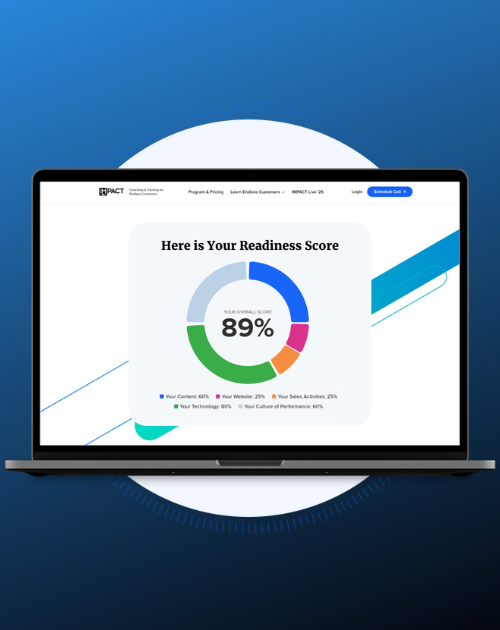
Free Assessment
Free Marketing Assessment: Where do you stand?
AI is changing how buyers find businesses, and most companies are dangerously underprepared. Take this free assessment and find out if yours is at risk of becoming invisible to your buyers.
What does a well-built AI workflow look like?
A well-built AI workflow breaks one large task into small steps, uses automation for anything that must be exact, and saves AI for the judgment calls. That structure makes the workflow cheaper and faster to run. It's also easier to improve, because you can test and change one step without rerunning everything around it.
The instant website diagnostic we buitl with XRAY is a good example. Our process started with prompts we ran by hand. We'd enter a company's URL and ask:
- What does this company do?
- Who does it serve?
- What are its current market conditions?
- How do buyers in its space make decisions?
- Who are its top competitors?
Then we ran a separate prompt for each part of the Endless Customers System™ we wanted to grade, such as whether the company makes a strong promise, runs a consistent review generation program, and shows customer proof. Each prompt returned a grade.
If it had been one giant prompt, the diagnostic would be slow (Tom joked you'd have time to brew a whole pot of coffee), and it would cost quarters per run instead of fractions of a penny. Plus, it would be nearly impossible to tune, since fixing one weak section would mean rerunning everything.
So XRAY split the production version across four tools:
- Lovable handles the interface, which is everything a user sees.
- GitHub tracks every change to the code, the way track changes works in a Google Doc, so multiple AI coding agents don't overwrite each other.
- Claude Code builds the business logic, including the admin settings, how each diagnostic runs, and the database connections.
- Firecrawl copies the content on each page of the website being scanned.
The Firecrawl step is deterministic on purpose. A 95% chance of copying a page correctly isn't good enough when you're grading someone's website, because the diagnostic loses credibility the first time it quotes a page wrong. Since the page copy is saved, the team can rerun and refine only the competitor section or only the pricing section, and each test costs a fraction of a penny.
A warning for anyone building tools with vibe coding: Lovable will take you from zero to about 90% in 15 minutes, and the prototype will look like it works. The last 10% can take 90 hours if you stay inside Lovable alone, which is why this build uses several tools.
We're making the diagnostic the first step in our client onboarding. A company enters its URL and gets a baseline of how AI and Google see its business, the same way a doctor takes your vitals before anything else. It's one of the self-service tools we recommend every business consider.
Watch Tom walk through the build
Tom and I covered the diagnostic, the automation vs. AI split, and the security risks below on the Endless Customers podcast. Watch or listen to the full episode: The Smart AI Workflows Start with Better Processes.
What risks come with giving AI agents access to your systems?
The biggest risk is prompt injection. A problem nobody has solved it yet.
For example, an AI agent that reads your email or browses the web can come across hidden instructions, like a message posing as you that asks it to change a password or send your bank statements somewhere. The agent may follow those instructions instead of yours.
Every AI model has a context window, which is its working memory. As an agent reads more, newer text can crowd out its original instructions, and the agent starts acting on whatever it read most recently. It won't happen every time, but one time is enough to expose sensitive information.
A good rule for any business: let an agent read and draft before you let it act, and keep it away from sensitive data.
Some leaders avoid AI entirely because of risks like this. That fear is reasonable. The better response is to set clear limits on what each agent can access and practice inside those limits.
Frequently asked questions
Is AI the same as automation?
No. Automation follows fixed rules and produces the same result every time. AI generates a new response each time it runs, which makes it useful for tasks that need judgment, like categorizing a message or summarizing research.
How much of a workflow should use AI?
It should use less AI than most people expect. Tom recommends making most of a process deterministic and adding AI at one to three moments where the process needs to adapt to different inputs.
Do you need a developer to build an AI workflow?
You don't always need one. Tools like Lovable and Claude Code let non-developers build working prototypes. For a tool many people will use, plan for version control like GitHub and expect the last stretch of the build to take far longer than the first.
Start with the process, then add AI
The right place for AI in your business is the handful of steps that need judgment, with automation handling everything that has to happen the same way every time.
Map the steps your team already follows. Automate the ones that must be consistent, add AI where the process needs to adapt, and keep the language in AI-generated research careful. Practice where mistakes are cheap, break big prompts into small steps, and limit what your agents can touch until you understand prompt injection.
At IMPACT, we coach companies through decisions like these as part of the Endless Customers System™, including where technology and AI fit in your sales and marketing.
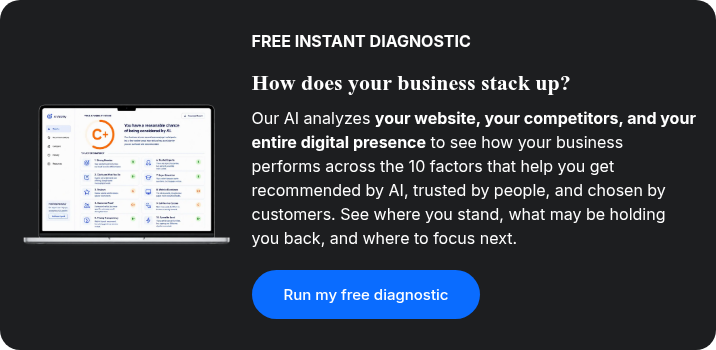
Check out our free instant diagnostic below for deeper insights into the gaps in your marketing strategy and AI visibility.
Related reading
- AI for Marketing in 2026: What To Use, What To Skip, and What To Watch Next: Where AI helps a marketing team most right now.
- 5 Marketing Foundations to Build Before You Scale with AI: The outcomes, standards, and processes to set before AI touches your marketing.
- How to Use Vibe Coding to Build the Content Tools You Need: How marketing teams are building their own AI tools without a developer.
- 6 Ways to Tell if What AI Built You is Actually Any Good: Checks to run before you trust AI output.
- The Business Case for Self-Service Tools: What to Build and Why: Why tools like an instant diagnostic earn buyer trust.

Written By
Bob Ruffolo founded IMPACT in 2009 and has led it as CEO ever since. What started as a simple web design company has grown into a business coaching and training company that helps leaders and their teams get better at sales, marketing, communication, and leadership. IMPACT has been a HubSpot partner since 2011, one of HubSpot's first, and today is a HubSpot Diamond Solutions Partner, twice named HubSpot Partner of the Year and a four-time Inc. 5000 honoree (2018 to 2021). Bob himself has been recognized as a 40 Under 40 winner and named to Glassdoor's Best CEO for Small Businesses list. Bob is the co-creator of the Endless Customers System with Marcus Sheridan, the methodology behind IMPACT's coaching, the USA Today bestselling book, the Endless Customers podcast, and the annual Endless Customers Live conference. It teaches companies to build marketing and sales capability in-house rather than outsourcing it indefinitely. In recent years Bob has led IMPACT's shift to an AI-first company and become a go-to voice for leaders trying to understand what AI means for marketing, sales, and the workforce.
Bob Ruffolo founded IMPACT in 2009 and has led it as CEO ever since. What started as a simple web design company has grown into a business coaching and training company that helps leaders and their teams get better at sales, marketing, communication, and leadership. IMPACT has been a HubSpot partner since 2011, one of HubSpot's first, and today is a HubSpot Diamond Solutions Partner, twice named HubSpot Partner of the Year and a four-time Inc. 5000 honoree (2018 to 2021). Bob himself has been recognized as a 40 Under 40 winner and named to Glassdoor's Best CEO for Small Businesses list. Bob is the co-creator of the Endless Customers System with Marcus Sheridan, the methodology behind IMPACT's coaching, the USA Today bestselling book, the Endless Customers podcast, and the annual Endless Customers Live conference. It teaches companies to build marketing and sales capability in-house rather than outsourcing it indefinitely. In recent years Bob has led IMPACT's shift to an AI-first company and become a go-to voice for leaders trying to understand what AI means for marketing, sales, and the workforce.
/Assets/Icon%20Library/social/linkedin-logo.svg)
Share
/Assets/Icon%20Library/social/x%20corp.svg)
/Assets/Icon%20Library/social/facebook-logo.svg)
/Assets/Icon%20Library/social/mail-to.svg)
/Assets/base/Learning%20Center%20Resource%20Category%20Icons/Website%20link.svg)
NEED HELP WITH AI FOR MARKETING?
If you’re looking to take control of your sales and marketing with a proven system built for the age of AI, IMPACT can help. We can guide you on how to control your growth, stop relying on agencies, and become the most known and trusted brand in your market.
NEED HELP WITH AI FOR MARKETING?
If you’re looking to take control of your sales and marketing with a proven system built for the age of AI, IMPACT can help. We can guide you on how to control your growth, stop relying on agencies, and become the most known and trusted brand in your market.