
/Assets/arrow-facing-left--black-01.svg)
/Assets/navigation-global--close-symbol-black-01-1.svg)
/Assets/Icon%20Library/social/facebook-logo.svg)
/Assets/Icon%20Library/social/instagram-logo.svg)
/Assets/Icon%20Library/social/youtube-logo.svg)




/Assets/navigation-global--close-symbol-black-01.svg)

Call-to-action Examples
- AppleTV+: "Watch Now"
- Netflix: "Try 30 Days Free"
- Lyft: "ride and Save"
- Canva: "I'm in! Show me Canva 2.0"
- Chick-fil-A: "Find your morning motivation"
- WordStream: "Grade My Account For Free"
- Hotjar: "Try it free"
- Spotify: "Get Spotify Free"
- Trello: "Sign Up — It's Free!"
- Social Media Examiner: "Click to Save!"
- World Market: "Shop the room"
- Join.Me: "Start Meeting"
- Influenster: "I want more boxes!"
- theSkimm: "Join Millions of Others"
- charity:water: "Join the Spring"
- Ugmonk: "Yes Please"
- Hello Fresh: "Claim Offer"
- Blue Apron: "$60 off"
- Basecamp: "Give Basecamp a try"
- QuickBooks: "Buy now and save"
- Epic!: "Parents, get 30 days free! Educators, get it free"
- BarkBox: "Claim offer or give gift"
- Airbnb: "Explore nearby stays"
- Starbucks: "How about a real cookie?"
- Southwest: "COVID"
- Disney: "Order early"
- IKEA: "Shop storage solutions"
- Udemy: "Become an instructor"
- Visit Greenland: "Winter or summer"
- LifeStraw: "Giving back"
- Airtable: "One platform"
What makes people convert on your website, email, or any piece of digital marketing material you send out? Typically it’s your call-to-action, or CTA, that convinces them to take the next step in their journey.
This one button holds so much power, and getting it just right is one of the biggest struggles that marketers face.
So, what makes a good CTA? What are the secrets to get people to click through and convert?
How to use calls-to-action for lead generation
Unfortunately, like with many things in marketing, There’s no easy answer to these questions, but there are best practices that have been proven to work time and time again. In order to up your lead generation efforts with the best CTA possible, remember to follow these guidelines:
- Make them action-oriented by adding strong language that inspires the user to take the next step
- Use the first-person. This allows the user to really imagine themselves taking what ever action you want them to.
- Include strong visuals to draw the eye of the user.
- Create a sense of urgency by again adding strong language that adds just the right amount of pressure to make a user click right then and there.
- Eliminate objectives or friction to keep the process as simple as possible
- Make them stand out and easy to find again. This helps bring the user's eye to exactly where you want it to be.
Keeping these tips in mind, check out these CTA examples from a variety of companies and industries putting who are putting best practices into action. Use them to help inspire you and your CTA creation.
1. AppleTV+: “Watch Now”
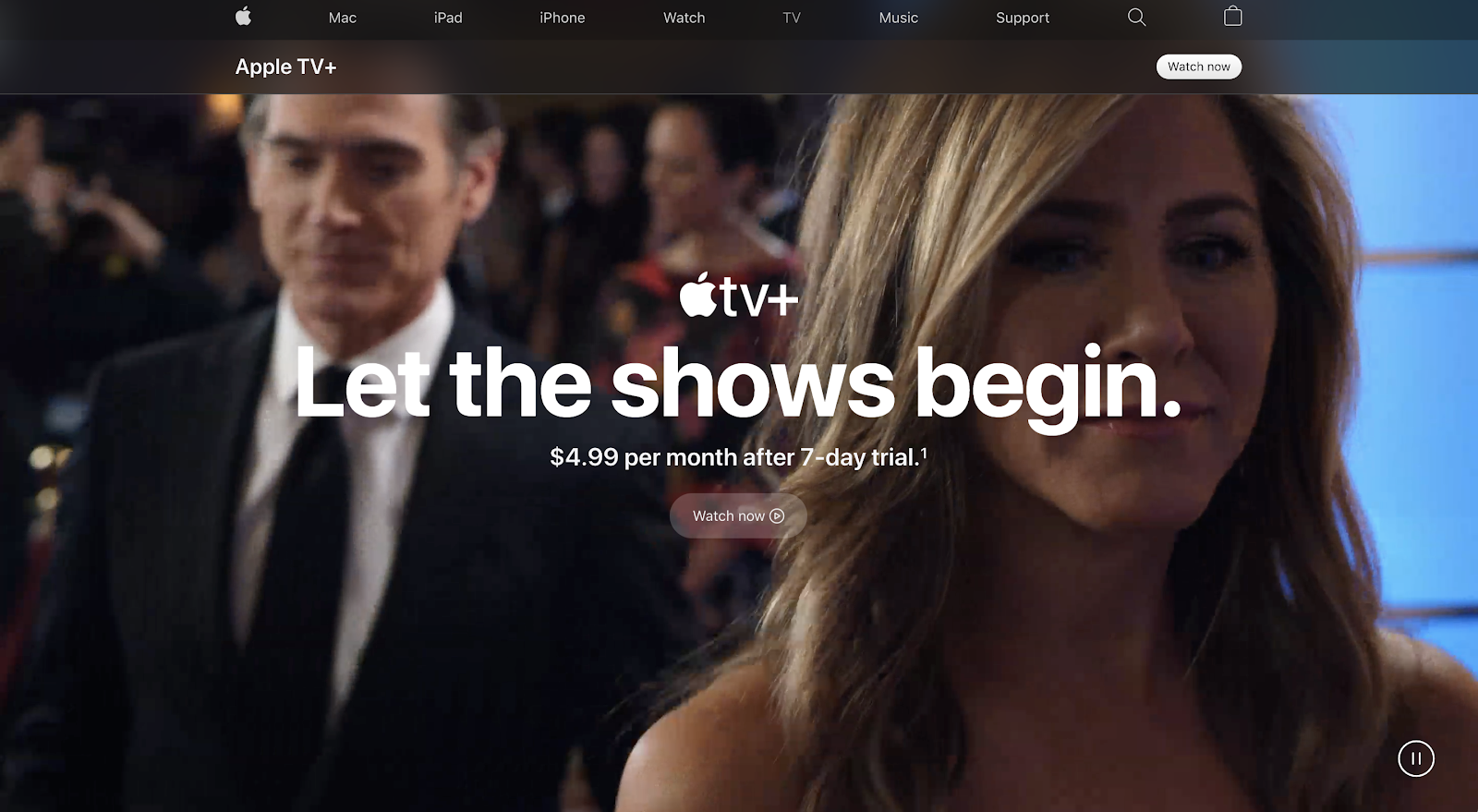
For its new streaming service AppleTV+, Apple uses the call-to-action “Watch now” paired with a play icon to move visitors towards signing up.
This is a great idea because it speaks directly to the interests of the visitor in that moment (watching some of the exclusive content being shown in the background), but it’s also a bit misleading as you don’t actually go straight to watching.
Instead, you are taken to a sign-up page with another CTA to start a free trial. This creates a bit of a frustrating user journey and could rub some people the wrong way.
If I were Apple, I’d immediately take them to the free trial form or even better to the opportunity to begin watching a show before being prompted with a form.
2. Netflix: “Try 30 Days Free”
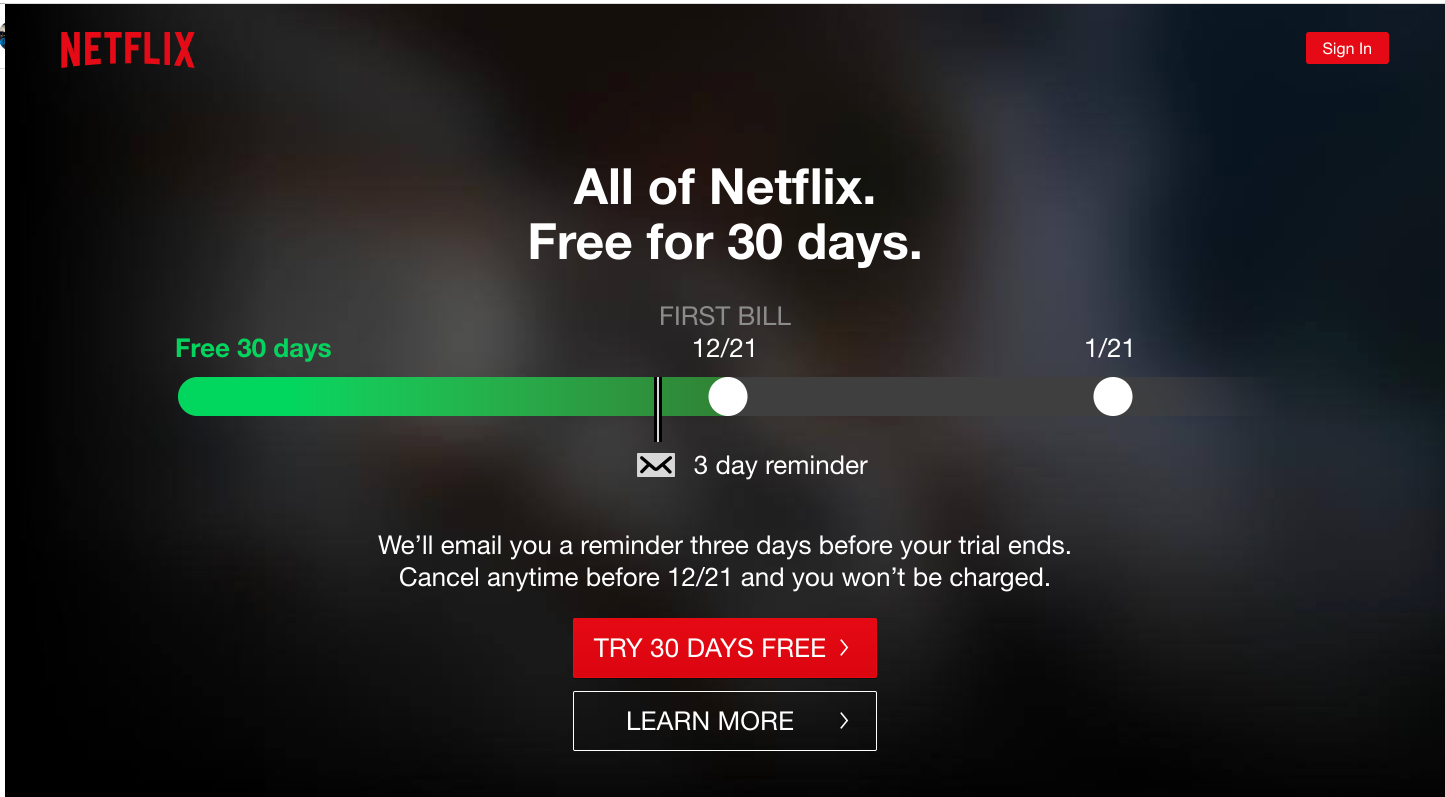
On the other end of the streaming spectrum, Netflix doesn’t play games with its CTA. It uses a striking, on-brand red button to attract your eye then uses its free trial to remove the friction of not knowing what you’ll get into.
It also does a good job of addressing other common concerns right there next to the button, eliminating any other objections.
3. Lyft: “Ride and Save”
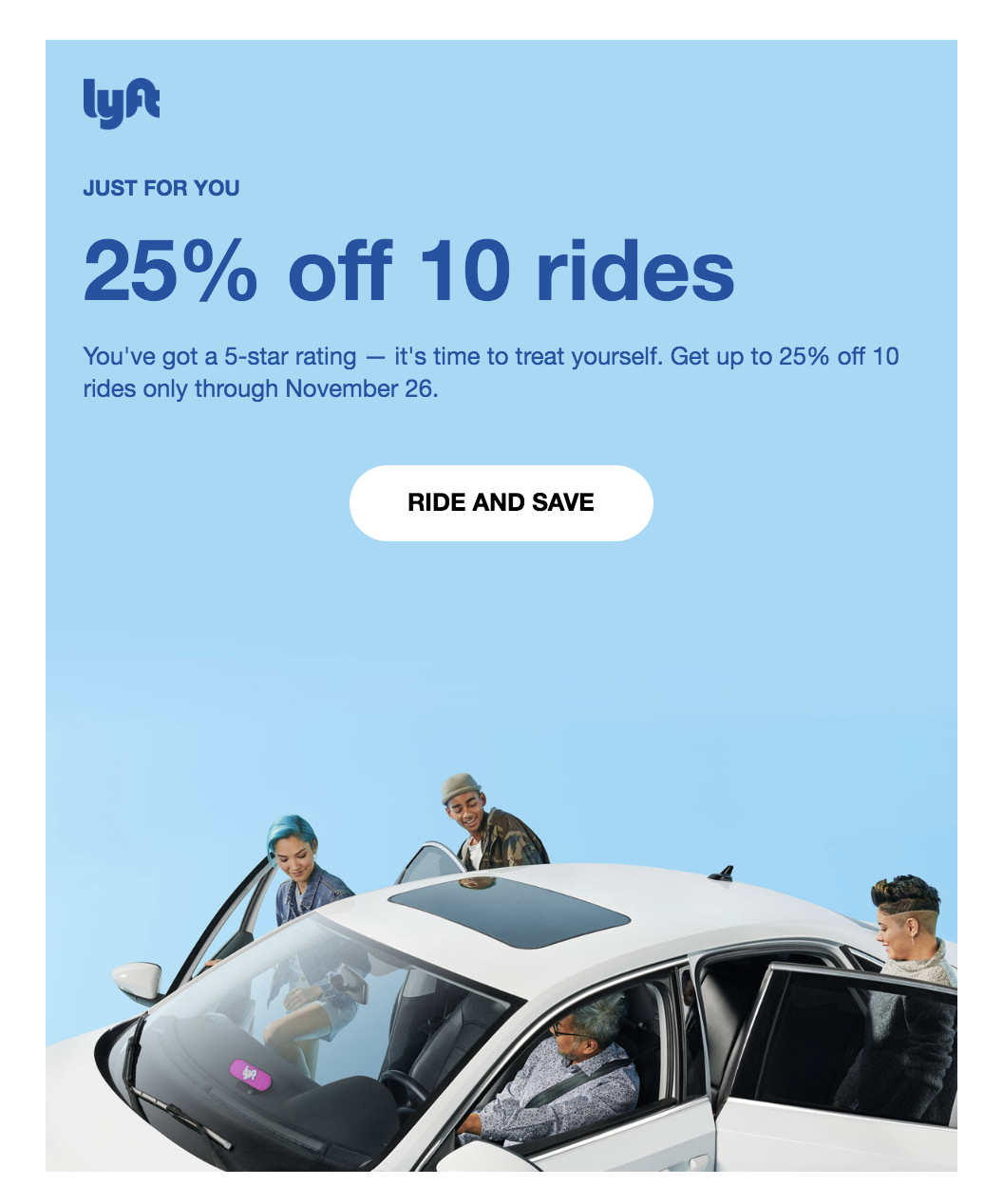
In this email call-to-action, ride sharing company Lyft cuts right to the chase. What is it offering you? Rides — but if you click right now, you’ll also save.
Between this simple copy and the use of negative space around the button to draw the eye, this CTA is well-staged to attract leads.
4. Canva: “I’m in! Show me Canva 2.0”
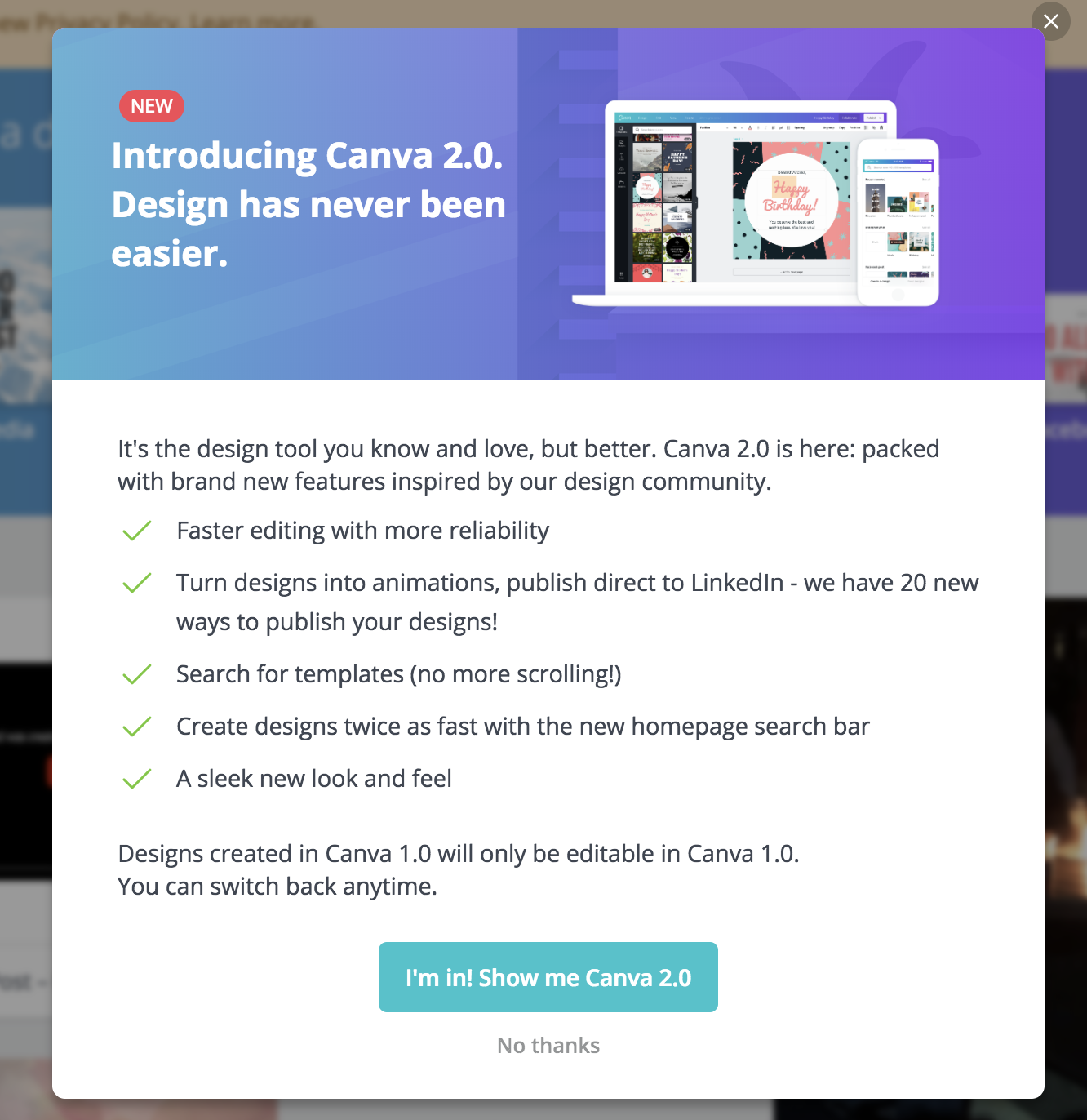
In another awesome email CTA, Canva makes smart use of detailed, introspective copy to let the viewer know exactly what they’ll be getting when they hit the button.
It also creates a sense of community and exclusivity suggesting that you’ll be “in” on something when you click through.
5. Chick-fil-A: “Find your morning motivation”
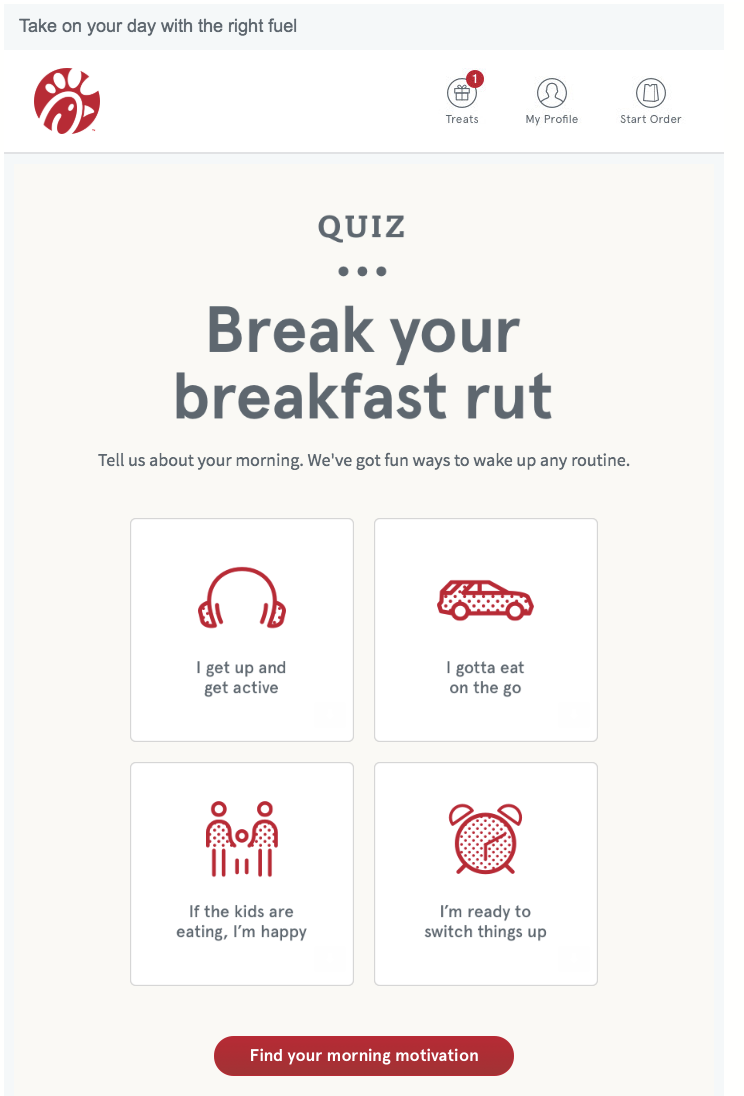
Rather than flat out telling you to view its breakfast menu, Chick-fil-A positions its food not as a mere hunger cure but as “motivation” in this clever CTA copy.
It also gamifies the experience by putting it behind a personality quiz.
By clicking through, you’re not just seeing what they’re selling, but learning about yourself. Plus, with its bold use of the brand’s signature red, this CTA is impossible to miss.
6. WordStream: “Grade My Account For Free”
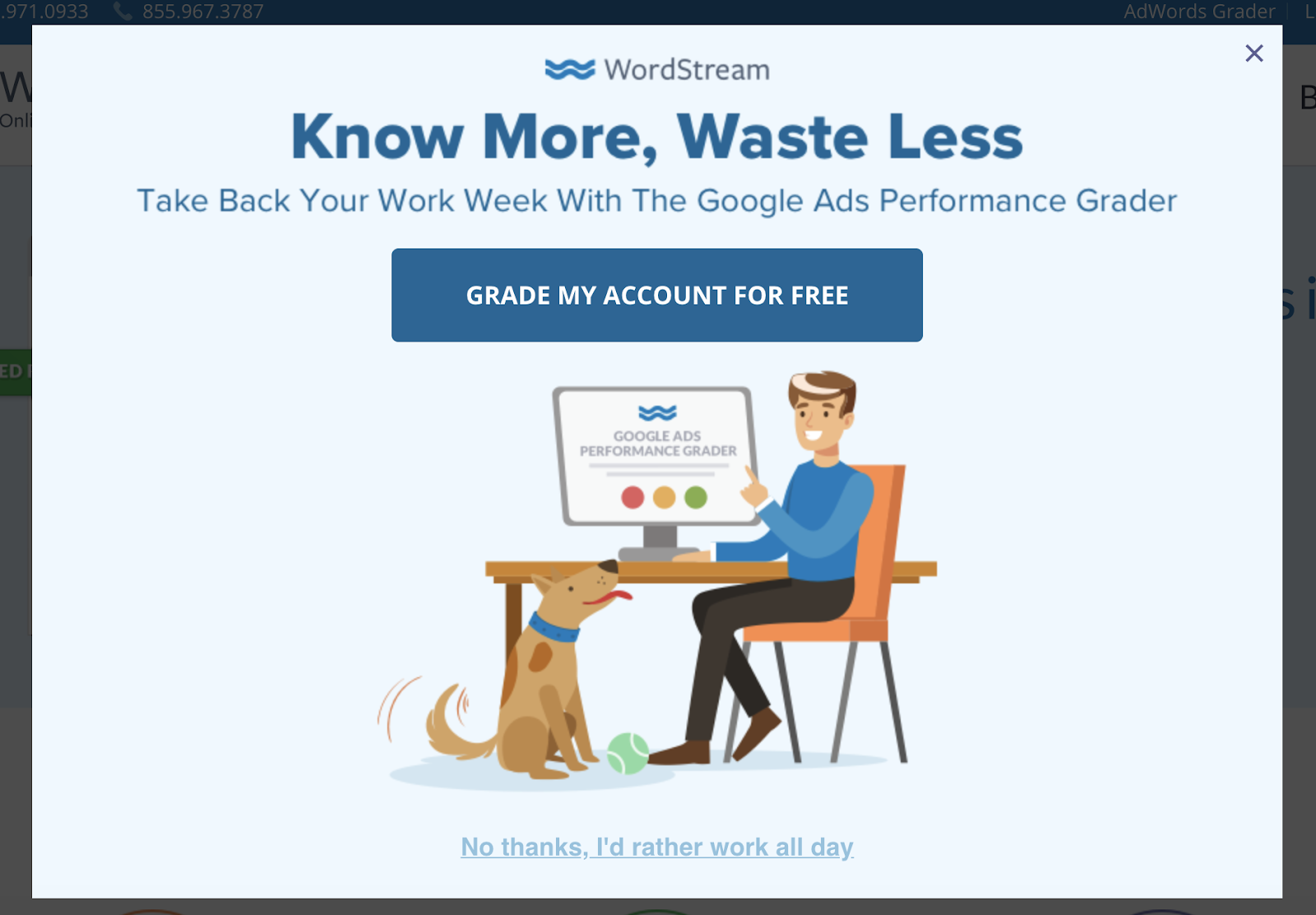
In this pop up, WordStream gets specific about what they’re offering and uses first-person copy to get into the visitor’s head.
Similar to Netflix, they also make it a point to state that the offer is free, eliminating any friction someone might have about being “sold.”
7. Hotjar: “Try it free”
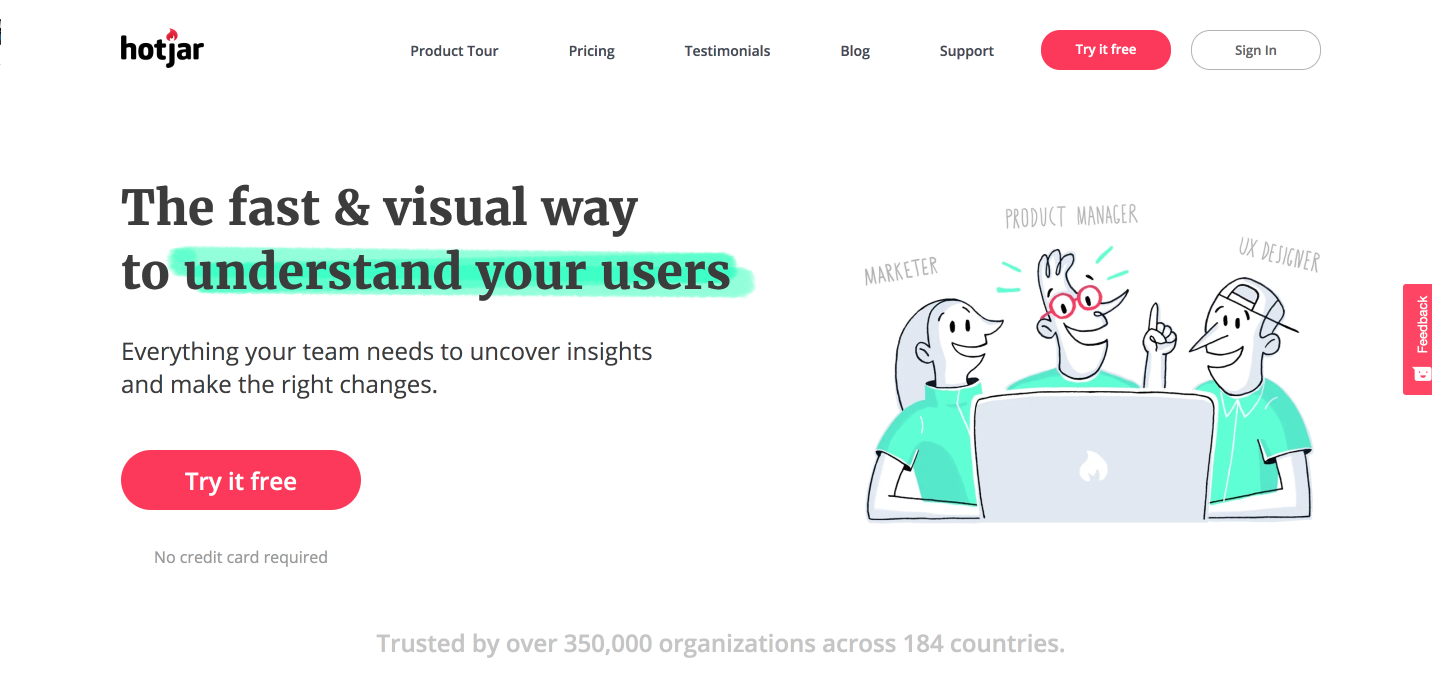
Hotjar’s homepage features two calls-to-action leading you to the same place.
Both are easy to find with their placement and bright red color and also reduce friction by giving visitors the option “try” before buying. They’re not going in for the hard sell.
8. Spotify: “Get Spotify Free”
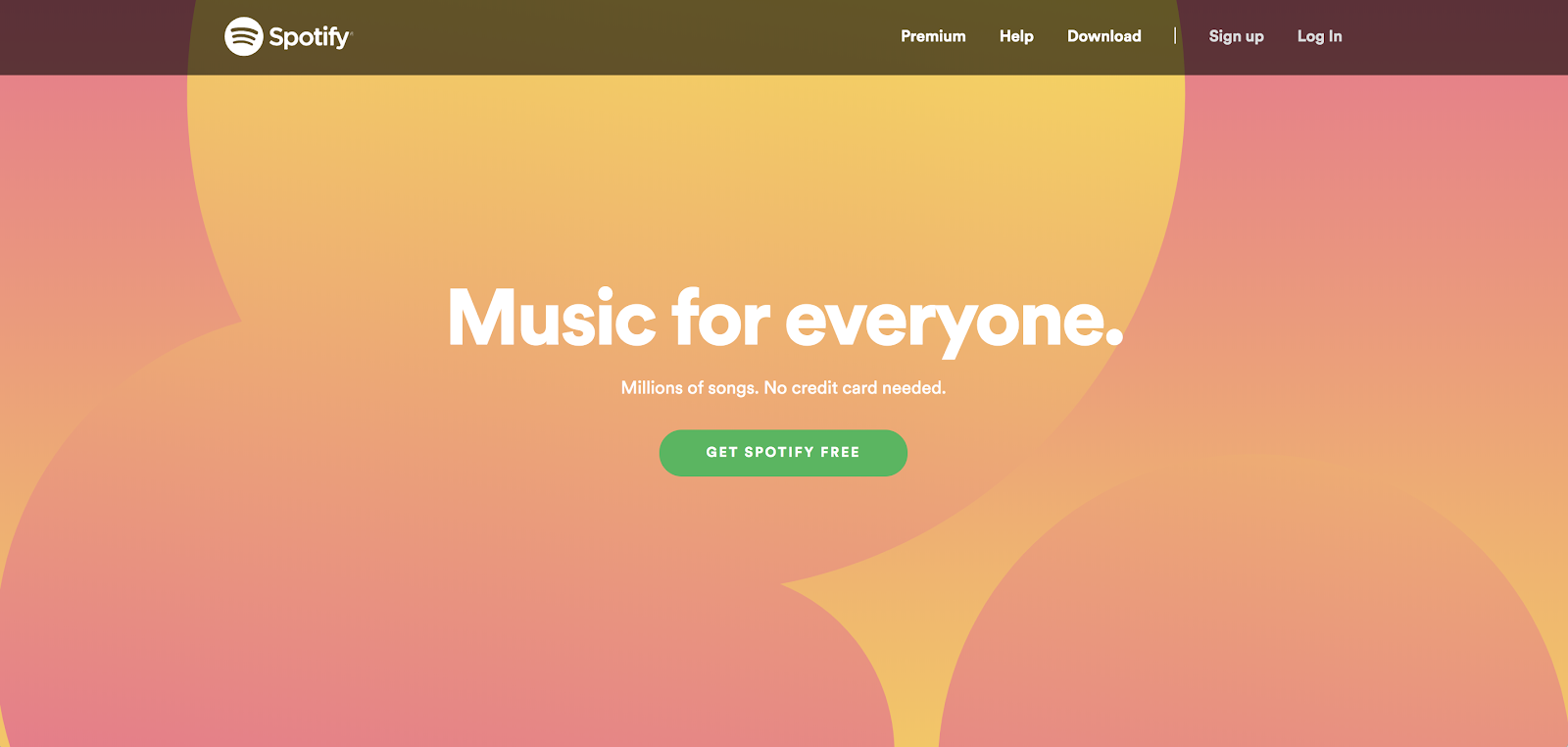
Spotify’s brand and marketing hasn’t changed much over the years, and with good reason — it works. One of the few things that has changed is its conversion strategy.
A few years ago, Spotify would feature two competing CTAs — one leading to Spotify free and the other to their premium tier — but as you can see here, the team is now focusing solely on driving people to its freemium.
Between its simple, direct copy, bold color, and prominent placement, this CTA is just waiting to be clicked.
9. Trello: “Sign Up — It’s Free!”
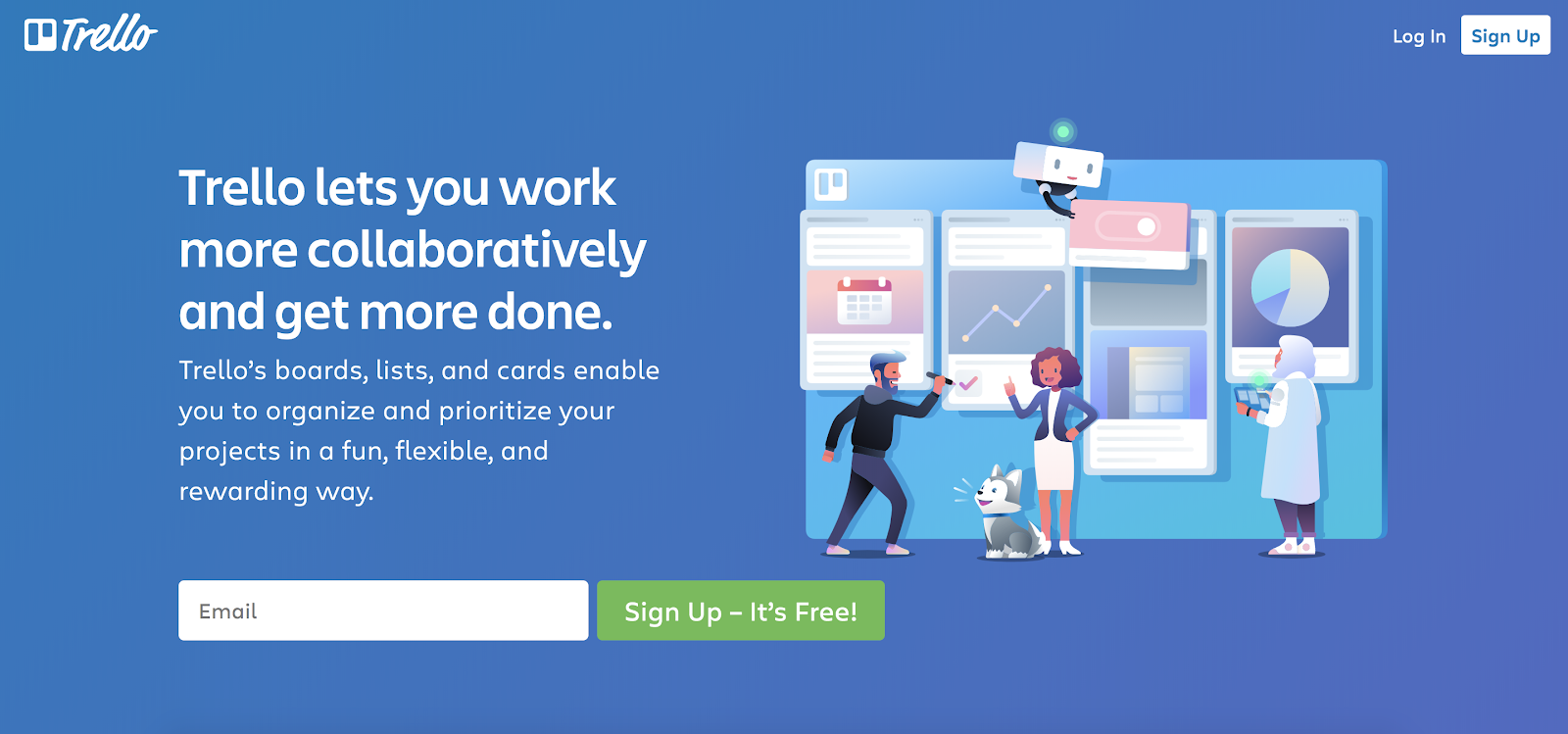
Trello makes its persuasive copy and button text stand out against their all blue background by featuring strong contrasting colors and keeping the page simple.
There’s nothing to distract you from what to do next — sign up for free.
10. Social Media Examiner: “Click to Save!”
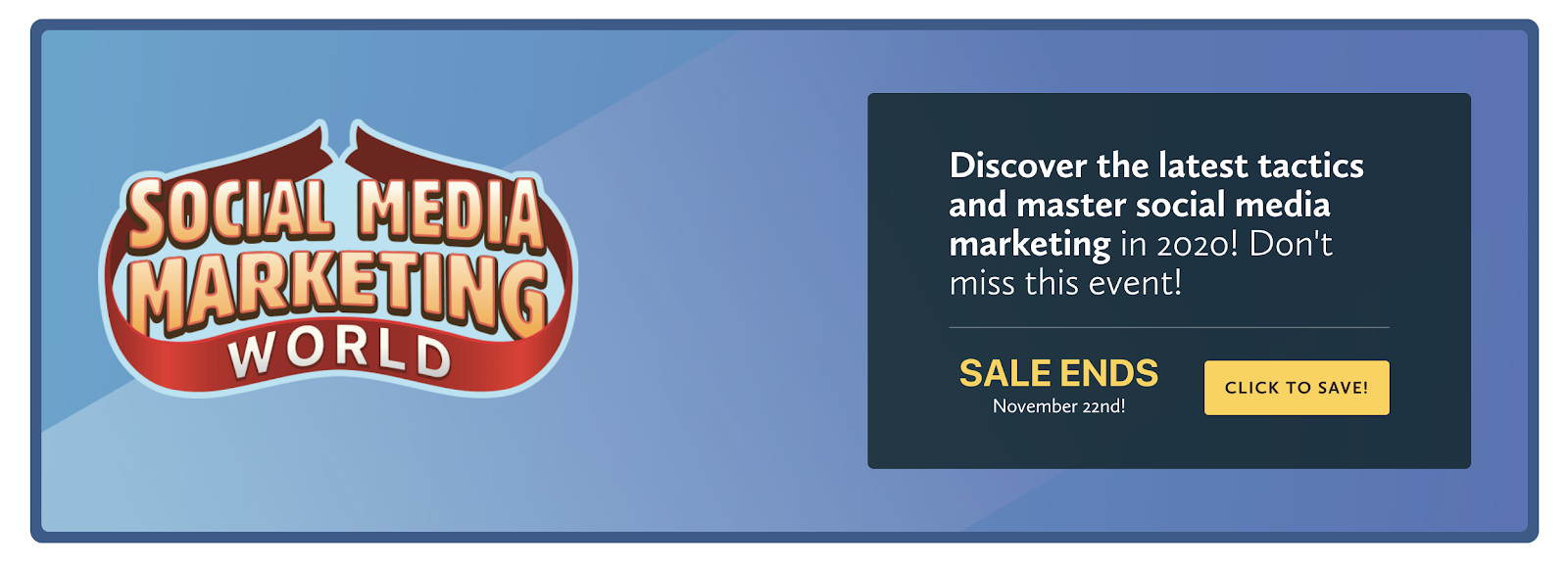
In most instances a CTA that leads you to making a purchase can come off as aggressive or off-putting, but by leading with the savings, Social Media Examiner makes this yellow button something people want to click.
Do I want to buy now? Maybe not. Do I want to save? Always.
11. World Market: “Shop the room”
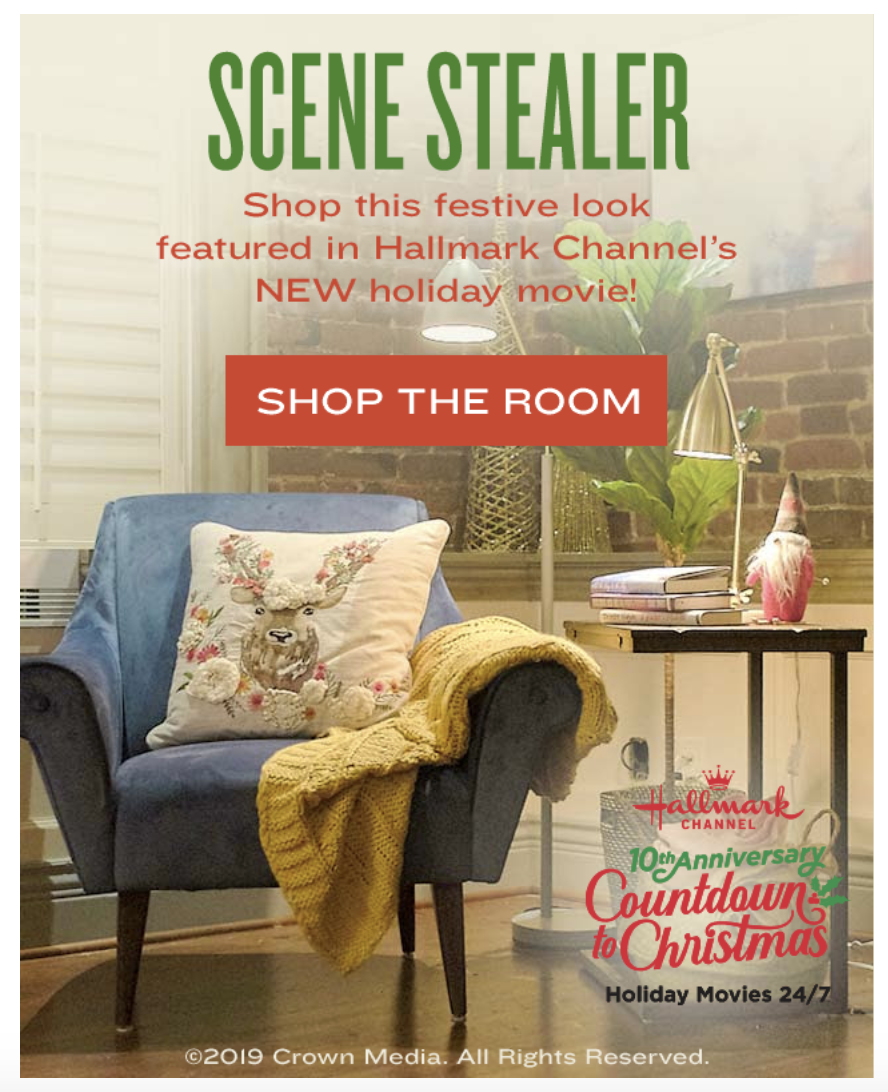
Here we have an email banner CTA from retail store World Market. In a similar strategy to Chick-fil-A, the company repositions a rather mundane action of shopping and makes it sound exciting with its copy.
You can shop now or you can shop for the furniture in the beautiful room you recently saw in a TV movie. Which is more likely to pique your curiosity?
12. Join.Me: “Start Meeting”
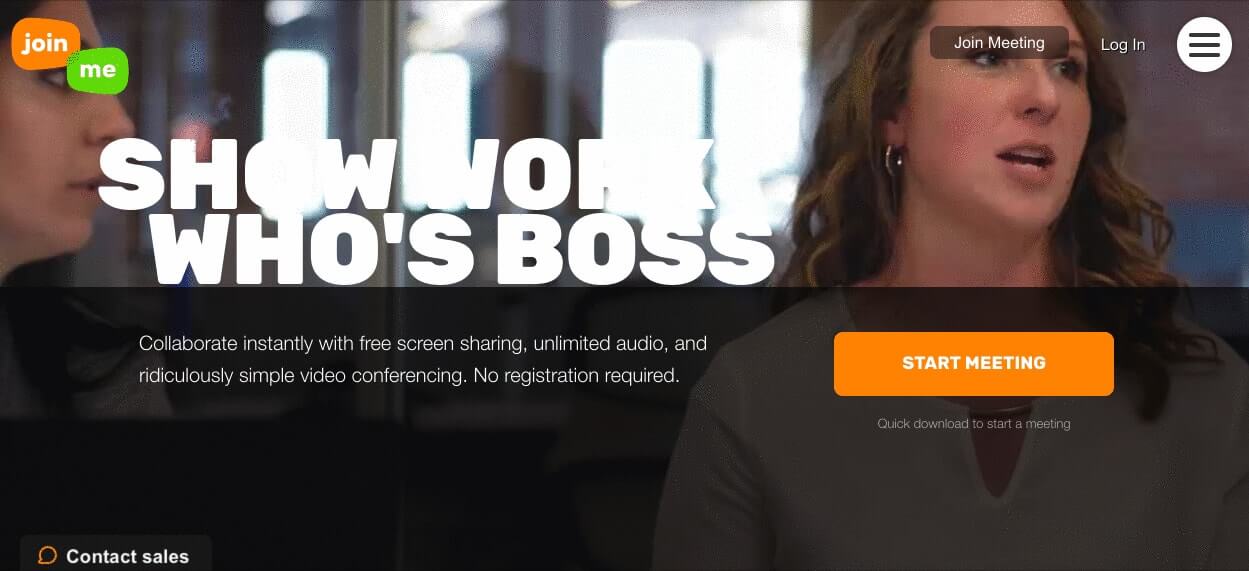
Join.Me makes it easy for you to immediately get started with this call-to-action.
Nothing is worse than waiting what seems like hours for a meeting to start.
Join.Me’s text understands this pain, making the idea of starting the meeting right now that much more enticing. Paired with its bright orange color on a dark background, this CTA is built to grab your eye.
13. Influenster: “I want more boxes!”
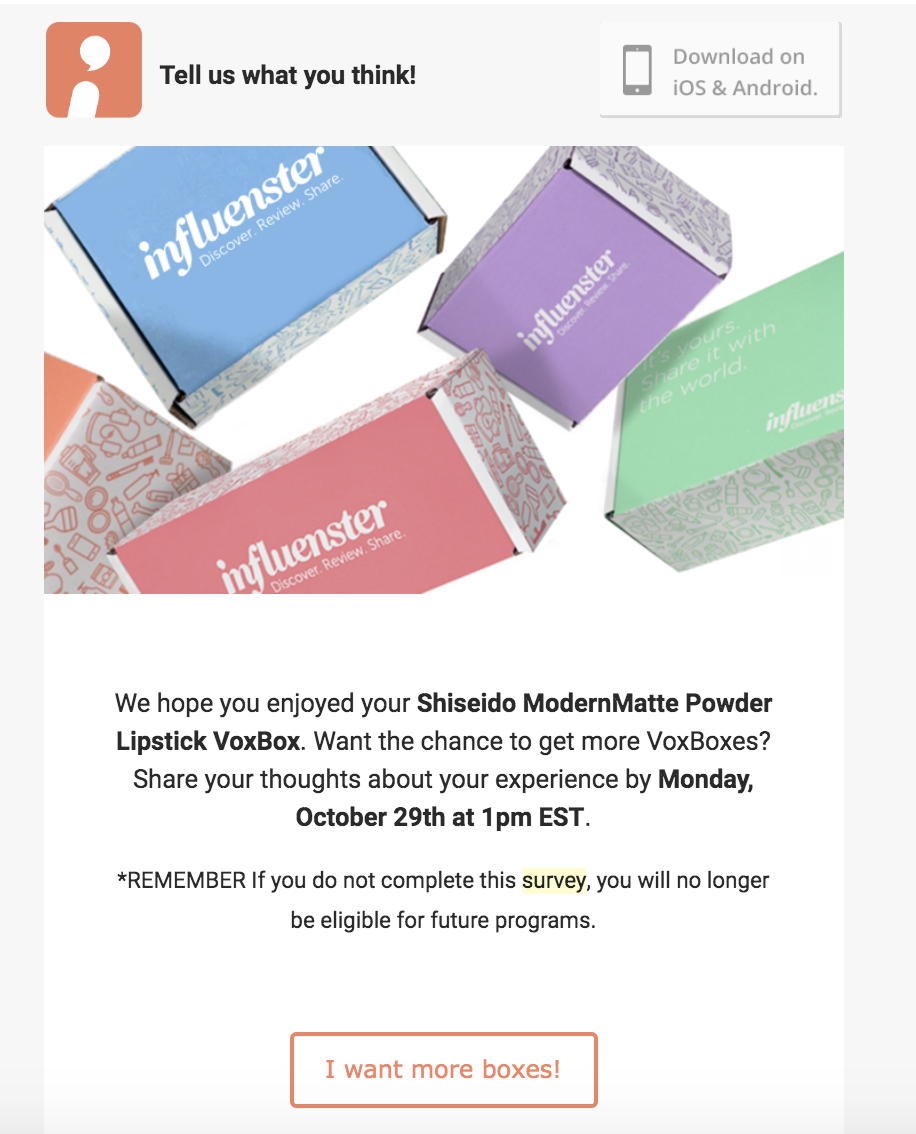
For those of you not familiar, Influenster is a community that sends members free products to review and try in exchange for sharing how they feel about them in a survey and on social media and online stores.
As a member for nearly six years, I know the excitement of getting chosen for one of their campaigns all too well, and the team capitalizes on that with this CTA.
By click through, I’m not just completing a mandatory survey, but guaranteeing that I’ll be considered for future campaigns. Click, click, click!
14. theSkimm: "Join Millions of Others"
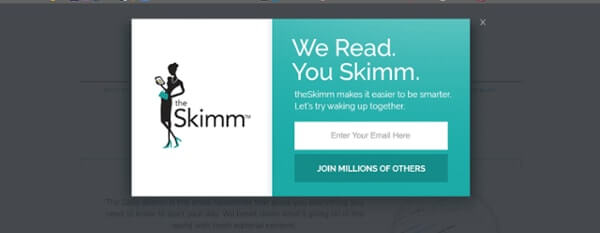
Here, theSkimm lets you know exactly what they offer in this pop-up CTA, but they make it even more appealing by pairing it with strong social proof.
Not only does this create a sense of belonging and community, but it also helps support the company’s claims.
15. charity:water : "Join the Spring"
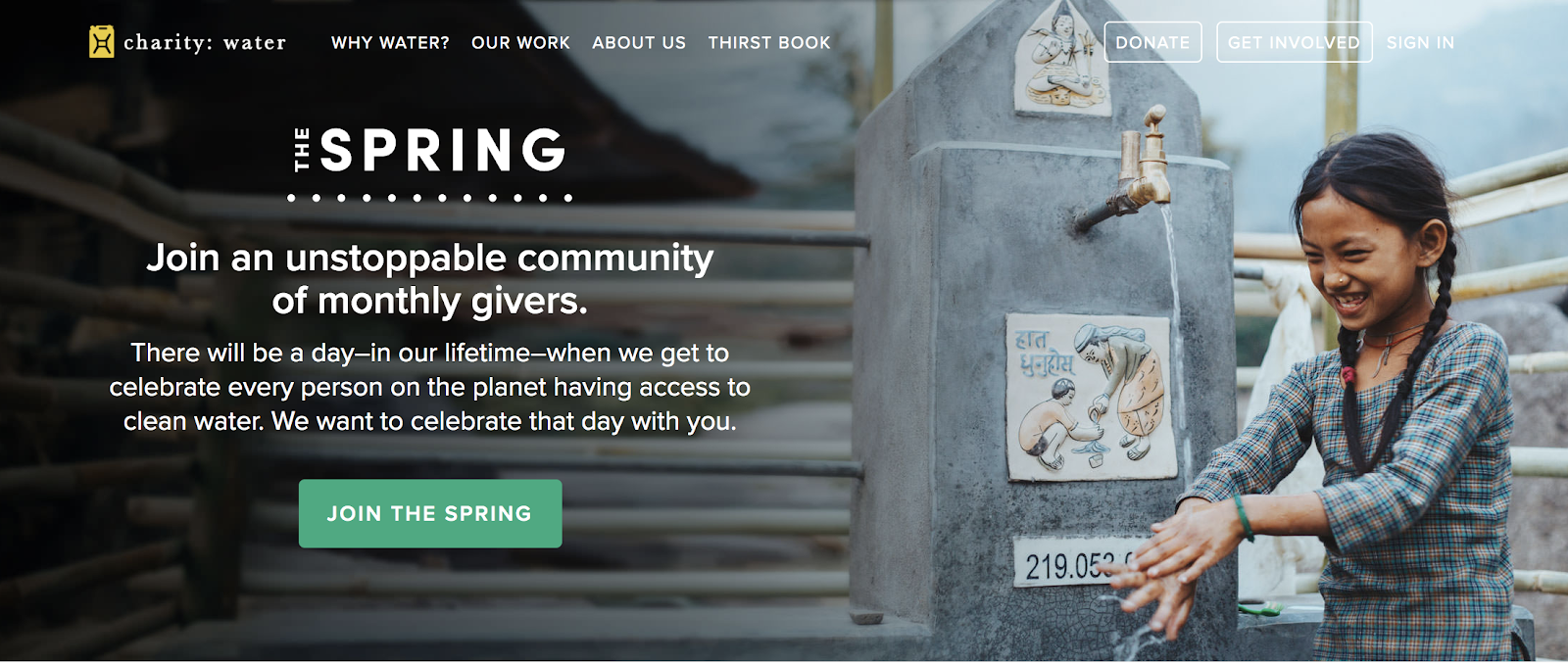
I’ve always been a fan of charity:water’s marketing, and this a perfect example of why.
The Spring is a group that regularly donates money to the non-profit to help it deliver clean water to those in need around the world.
But with this bold green CTA you’re not just donating to a cause like you could anywhere else, you’re joining a movement that will change the world.
Between that, the moving copy, and the rich photo of a smiling child, it’s hard not to click.
16. Ugmonk: "Yes Please"
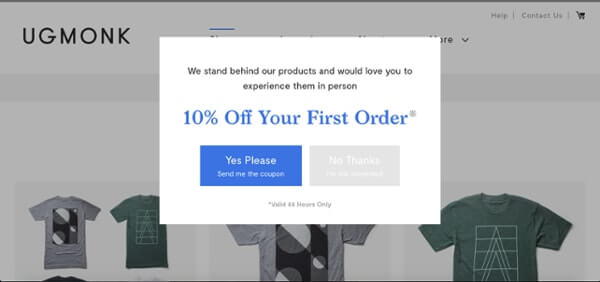
In this exit-intent pop up, Ugmonk gives visitors the option to get sent a 10% off coupon or leave the site.
It makes the option it wants you to click (yes!) most prominent with its blue coloring (that matches the value proposition above) and creates a sense of urgency by making the offer only valid for 24 hours.
Another smart move is making the user actively choose “Yes” or “No.” This forces them to really think twice and ask themselves if they really want to let the deal go.
17. Hello Fresh: "Claim Offer"
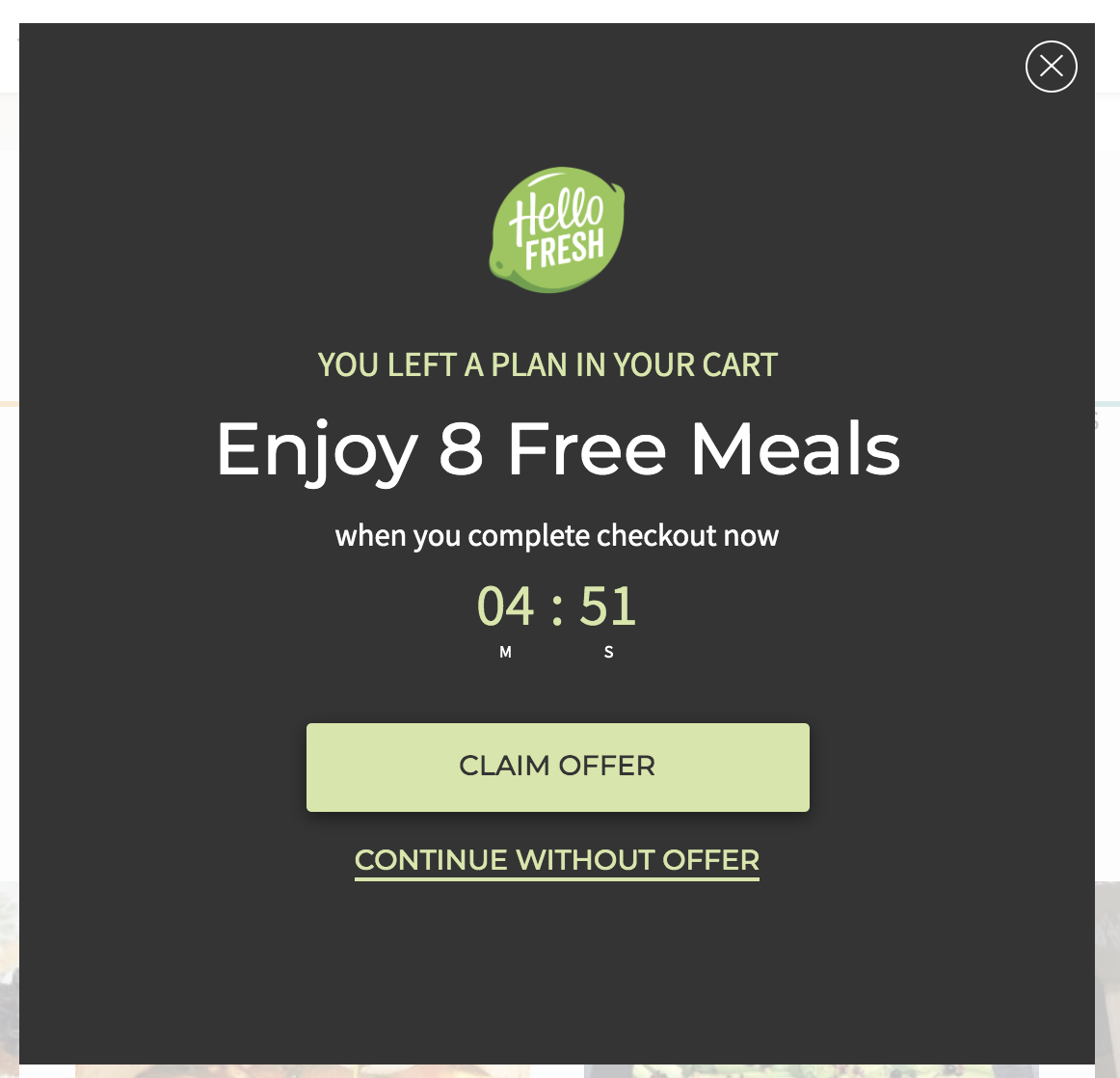
In a similar approach, HelloFresh urges new prospective users to convert by offering them a compelling deal right off the bat. You can “claim the offer” of eight free meals or go about your business without them. Why wouldn’t you click?
18. Blue Apron: "$60 off"

Blue Apron’s pop-up CTA does a great job of creating urgency. They give you a reasonable amount of time to make the decision (20 minutes), but when the clock starts counting down and you’re faced with two options: “Reject $60 Off” or “Get $60 Off” — it makes you want to quickly accept the offer.
Another thing I liked about this CTA is the explanation it gives below the text. Some meal delivery services don’t let you know that it’s not $60 off your first box, it’s actually spread out over a couple of them. By seeing this copy here I’m not taken by surprise when I still have some costs at checkout.
19. Basecamp: "Give Basecamp a try"

I appreciate Basecamp’s casual approach here. It’s clear what the tool is from the headline, and then the paragraph text expands upon how companies are using the tool to do their work better.
The actual CTA text encourages users to see for themselves, while also letting them know exactly how many other companies have given it a shot over the last week. While I don’t love how much copy there is, I do appreciate how the important pieces stand-out through bolding, colors, and placement.
20. QuickBooks: "Buy now and save"![]()

When you get to the Quickbooks demo page, you’re given a couple of choices. You can watch a quick video to see how the tool works, then you can either buy now and save some money by purchasing without a demo — or you can book a demo.
For those that really need to get all of the information before signing-up, I could see this being a deterrent, but since they give you access and plenty of how it works information right next to the CTA, I see this as a great tool to get users to skip a step in the sales process and shorten the sales cycle.
If you’re someone who really knows what you want and doesn’t want to waste your time with a demo then it’s a no-brainer to save money and time!
21. Epic!: "Parents, get 30 days free! Educators, get it free"

Education and virtual learning have been brought into the spotlight this year due to COVID-19, so I love how Epic! Is giving away its digital library for free to parents and teachers.
The fact that they also give parents 30 days free is a great opportunity for parents to try this at home and then let teachers know how much they enjoyed it — or vice versa, with teachers encouraging parents to use this at home.
22. BarkBox: "Claim offer or give gift"

Another company that encourages sharing with others is BarkBox. You can easily sign up yourself or give a gift to a friend.
Since BarkBox is typically a subscription service, it’s smart to have an additional option that encourages people to spend more on others, which is an additional revenue source.
The designers also do a great job showing items that could be in the box, so it’s clear on the types of things you’re getting when you order — while still giving you the ability to personalize it and meet your dog’s exact needs.
23. Airbnb: "Explore nearby stays"

Airbnb is my go-to for travel, whether around the world or around the corner. With travel restrictions in place, Airbnb has made it easy to find unique and affordable stays that are close where you live, which adds that sense of personalization.
The “Go Near” copy is simple and to the point, making it clear what your next action is. It’s a great example of meeting people where they’re at while giving them a chance to fulfill their desire to travel.
24. Starbucks: "How about a real cookie?"

This Starbucks CTA really made me laugh... and instantly crave a chocolate chip cookie.
As soon as you accept the request to track your cookies, this simple and humorous CTA appears. I would be lying if it didn’t tempt me to order one right then and there. It’s a noninvasive way to encourage people to make an in-the-moment decision and purchase from their local Starbucks.
25. Southwest: "COVID"

Flying isn’t something that a ton of people are doing right now. Instead of hiding that option on its site, Southwest calls this out directly on its homepage, making it super easy to adjust your travel needs.
Southwest has always been known for its top-notch customer service, and this really shows that the company wants to continue to be helpful even during the pandemic.
26. Disney: "Order early"

Disney’s CTA for its new movie really speaks to those who want to feel a sense of exclusivity — or just those who really want to watch Disney’s new movie, Raya and The Last Dragon.
The movie came out on March 5th, but rather than just giving you an option to buy tickets and see it in theaters, Disney’s gave you an option to order it early by signing up for Disney+. While you didn't get to actually watch the movie earlier than March 5th (something I wish they’d explain on this CTA) you do feel that exclusivity by having “access” to something before everyone else.
27. IKEA: "Shop storage solutions"

Almost every time I shop online I see an image that has something in it that I really want to buy — and then I can never find that specific item on the site.
This leads me to shout out IKEA, whose CTA does exactly what I wish every one would do. It shows an image of a specific product, then puts the name and price of the product along with a link to additional options. This allows for people to locate the specific product from the photo or look around a bit more to see if there’s a better option for them, overall making it a nice and easy customer experience.
28. Udemy: "Become an instructor"

Udemy is a learning platform where users can record and upload courses on a variety of subjects for others to continue or start their education on a certain subject. But this platform doesn’t work without teachers, and that’s where this CTA comes in.
Those who want to be teachers seek to change the world by educating others. Udemy speaks directly to this persona by encouraging them not only to teach those close to them, but to choose to reach students around the world.
By having a CTA that speaks so clearly to its target audience, Udemy is making users feel inspired to live out their dreams with a simple click of the button.
29. Visit Greenland: "Winter or summer"

Visit Greenland is a travel site for the country of Greenland and not only is its CTA visually appealing, it also allows users to easily segment themselves into different experiences. This is an easy way to make sure you’re targeting users with the right content.
If they’re interested in visiting in the winter, you send content focused on activities to do in the winter. For would-be summer visitors, you do the opposite. In each case you avoid throwing both types of content at your visitors.
It helps users feel like the experience customized for them.
30. LifeStraw: "Giving back"

LifeStraw itself is an organization that is all about making the world better, so it’s no surprise that they have a give back program.
What I love about this one is the human element that’s highlighted by the included video. You’re able to see exactly how your purchase helps children in need. LifeStraw is focusing on your empathy and hoping that by seeing this you’ll be inclined to donate.
31. Airtable: "One platform"

When I first saw Airtable’s hero CTA I was thrown off by the moving text. I was going to write it off as confusing, but I soon felt differently: After seeing that only one word changed and that word made it clear exactly what you got from the platform, I was convinced.
The thing that stuck out to me the most was the static “One.” Users of software like Airtable are typically looking for an all-in-one platform to meet their needs. Airtable makes it easier for teams to keep track of everything in one place rather than in six different platforms. Here, Airtable is really leaning into that by having that text stay static and capture your attention.
Create and iterate
All of these companies are using one or more of the CTA best practices listed above, but they don’t all use each and every one of them. A couple of them even fall short in certain areas.
It’s important that you discover for yourself what works best with your audience. Different placement, copy, or design may resonate differently depending on who is visiting your site, but that doesn’t mean you can’t use these examples are inspiration.
Take what you’ve learned here and start applying it — then test it. You’ll likely not going to land on the perfect CTA with your first shot, but keep you user and your message in mind and start to brainstorm.
Then, you can iterate until you hit your target.
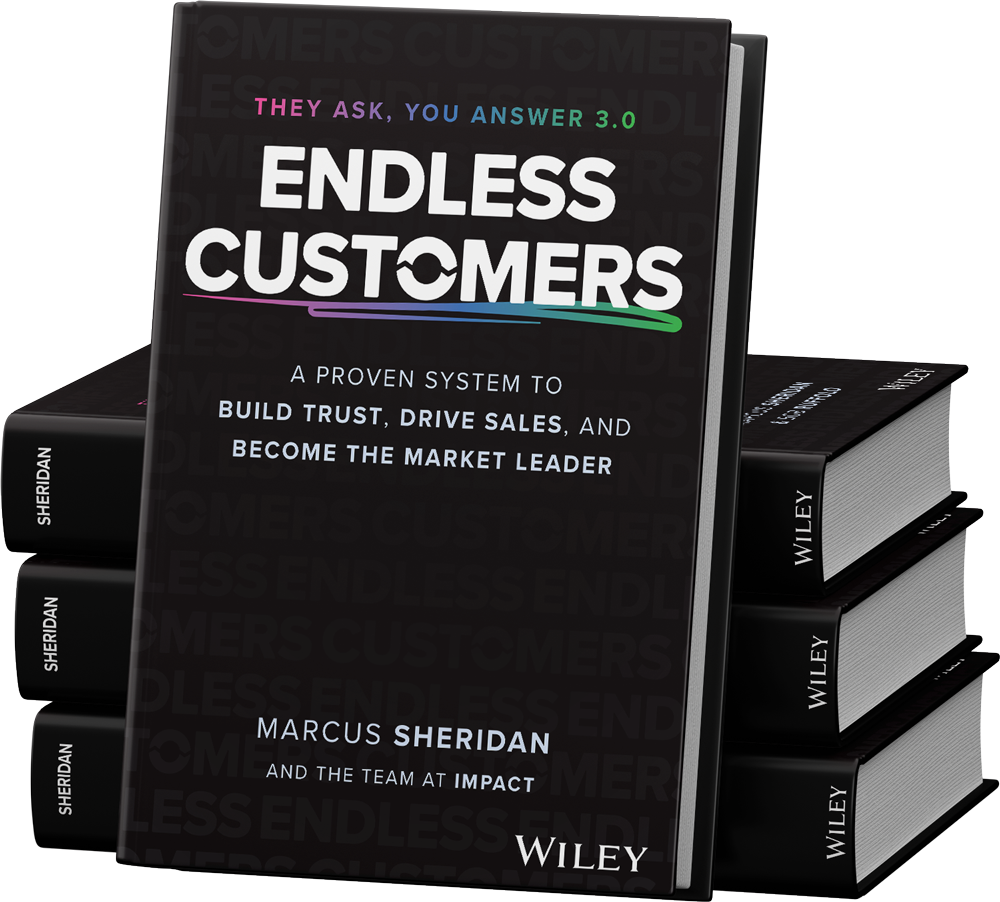
Order Your Copy of Marcus Sheridan's New Book — Endless Customers!
/Assets/Icon%20Library/x%20corp.svg)
/Assets/base/Learning%20Center%20Resource%20Category%20Icons/Facebook_Messenger_logo_black.svg)
/Assets/Icon%20Library/whatsapp%20logo.svg)
/Assets/Icon%20Library/Email.svg)